
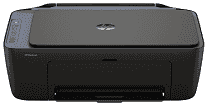
HP DeskJet 2921 Driver lets the computer identify the all-in-one printer and send commands to it correctly. Print jobs travel from compatible applications, and the same software carries scanned images back to the computer. Copying does not depend on the computer because it runs from the printer controls. The connection can use USB or the wireless network, depending on how the printer is set up.
HP DeskJet 2921 Drivers for Windows
1bc30e7e1c545d9ac964bddb5c1c696303163e18b92d9a54de3fc09bdb7d47c5620068045902345004931235f980d18321eb73b2b9e83672a905b17b6e82367733a48d17157441a5f626bf8b2b5f85c04c1a524bacff1c548f899ad90978765ec11fe40d2b794ffeb0c9f87b6f22efe7b178646c583b58276f0dc4b24872778a83d239d64aa753b224ac1a5c229527fba7a264eb3653fb95af54a387b27b3b1bHP DeskJet 2921 Specifications
HP DeskJet 2921 combines color printing, flatbed scanning, and copying in a compact inkjet body. Its printhead uses HP Thermal Inkjet technology and works with one black cartridge and one tri-color cartridge. The European version takes HP 308 supplies. Basic jobs run from button controls and an icon LCD. There is no fax hardware or automatic document feeder, so each original must be placed on the scanner glass by hand.
ISO print speed reaches 7.5 ppm in black and 5.5 ppm in color. Draft mode is faster, rising to 20 ppm for black pages and 16 ppm for color. The first page can take about 16 seconds in black or 20 seconds in color. Black documents can render at 1200 x 1200 dpi. Selected photo paper permits optimized color output up to 4800 x 1200 dpi. Automatic duplex hardware is absent, so the user must turn the sheet for the second side.
The input tray holds 60 sheets, but the output tray collects only 25. That smaller output capacity makes long unattended runs less practical. Standard paper sizes cover A4, B5, and A6, along with DL envelopes. Custom sheets can range from 76 x 127 mm to 215 x 355 mm. The same feed takes plain paper and photo stock, as well as brochure sheets and envelopes. Borderless printing is not available.
The contact image sensor scans from the flatbed at up to 1200 dpi optical resolution. Its glass accepts originals up to 216 x 297 mm, one at a time. Saved scans can use JPEG, TIFF, PDF, or PNG format. Copy speed reaches 6 cpm in black and 3 cpm in color, with a limit of nine copies per job. A nearby computer can connect by USB 2.0. Wireless jobs use dual-band Wi-Fi. With the trays closed, the body measures 425 x 304 x 154 mm and weighs about 3.42 kg.
Technical Details
| Title | HP DeskJet 2921 Drivers |
|---|---|
| Device Type | All-in-one printer |
| Driver Version | Varies by driver and operating system |
| Available Downloads | Drivers |
| License | Free |
| Manufacturer | HP Inc. |