
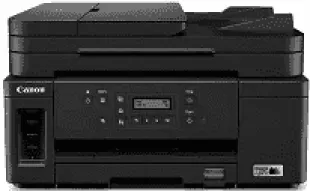
The Canon PIXMA GM4070 Driver helps your computer recognize the printer and send documents through a compatible connection. Once installed, it passes your selected paper size and print quality settings to the device. Compatible scanning software also lets you scan documents from the flatbed or automatic document feeder. With the correct driver installed, print jobs are less likely to fail or use unintended settings.
Canon PIXMA GM4070 Drivers for Windows
e01863fdb288e9d46eb2b3bd6199c5b9bc2e2acef7ff4d51eb1a6a34f36965603995acc82fd6e01674afc542ce0983e1a3b9450b64d6746accab9cba53ff3f4e8dd427942e8e31c574841b714286f9171dafe7b49dd781ec9b62ff0cc61cf1a415e26104a051d3f79061242bb8114e3d81f35bbe709d14bb07a6284eb01471d0Canon PIXMA GM4070 Drivers for Linux
a08be6cd4d6b2f07a32607756b86f73e3e77c6ab44fe75eacd26955a465e02aa619cff5497242c388bca5cc97eba83a4bc0550f2371ca4e80be1afa47b50f3cca35ae944efd3540d7250920296f16812118d9eb9f0031cdc1fe650cfac24ad03993393b072dfe2040083007485255a1f6174c6c3c093910b724eaca8febac676a5934b889ae17869b8bbd112ae687e00a992af7e423526a5d9c9872596663b98480930629dad2022f99d4b85274177efba9fe3f6214d904022b90aebbd927d60Canon PIXMA GM4070 Specifications
The Canon PIXMA GM4070 prints mainly in black, drawing GI-70 pigment ink from a refillable tank. Its replaceable BH-70 printhead carries 640 black nozzles. Colour documents need an optional CL-741 or CL-741XL cartridge, rather than colour ink tanks. Without that cartridge, printing remains monochrome. A CIS flatbed and automatic document feeder take care of scanning and copying, and a two-line LCD shows the selected settings.
Black documents reach 13 ISO images per minute. Fitting the optional colour cartridge brings colour printing to 8.8 images per minute, according to Canon’s India specifications. Printed output tops out at 600 × 1,200 dpi. For an original placed on the glass, the CIS scanner captures up to 1,200 × 2,400 dpi optically. The first monochrome copy takes about 12 seconds, and the document feeder copies successive pages at 11.5 images per minute.
The 250-sheet front cassette takes plain paper, leaving the rear tray for envelopes or high-resolution sheets. That rear feed can instead hold 100 A4 plain sheets. Legal-size pages go in at the back, not the cassette. Automatic duplexing accepts A4 or letter sheets of plain paper. It also works with smaller A5 and B5 sheets. For scanning and copying, the document feeder holds 35 A4 or letter originals but only five legal sheets.
A nearby computer can use USB 2.0, or the printer can join a wired Ethernet network. For wireless jobs, there is 2.4 GHz Wi-Fi and a Wireless Direct connection that does not require a router. Canon PRINT sends documents from a phone. With its trays closed, the body measures 403 × 369 × 234 mm and weighs about 9.2 kg. Canon recommends a monthly volume of 150–1,500 pages, below its maximum duty cycle.
Technical Details
| Title | Canon PIXMA GM4070 Drivers |
|---|---|
| Device Type | All-in-one printer |
| Driver Version | Varies by driver and operating system |
| Available Downloads | Drivers |
| License | Free |
| Manufacturer | Canon Inc. |