
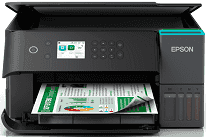
Epson EcoTank L6360 Driver lets the computer recognize the multifunction printer and send print or scan commands correctly. Printing and scanning run from compatible computer applications. Copying does not depend on the driver because it starts from the printer’s control panel. A wired network, wireless network, or USB connection can carry data between the two devices. Once installed, the software prevents common detection problems and gives applications access to the printer’s available output settings.
Epson EcoTank L6360 Drivers for Windows
b16452c0d82060a8dc6ca8b123fb2c1d6db3086d4a1290795a8e92cbadd6d0f2c8561b6e23b7b16153cda456d808974ad5e530fa3bf72cd5096fb4bd01b021f67da76bcf9a3fcc985f78c42a73a50070617aaeaa44595e5f4052c0615e5cb6a8Epson EcoTank L6360 Drivers for macOS
b9af1450e7e9ff1798741b45821b9fcc6fb855db9e5b2e38614eb39b398d08bbEpson EcoTank L6360 Specifications
Epson’s EcoTank L6360 is an A4 all-in-one ink-tank printer with scanning and copying built into the same body. Printing comes from a PrecisionCore printhead. The ink system uses pigment black for text, with dye-based cyan, magenta, and yellow for colour output. Refill bottles are keyed to match the front tanks, and the tank windows make the remaining ink visible. The control panel carries a 6.1 cm colour LCD; Epson does not list it as a touchscreen.
Print resolution reaches 4,800 x 1,200 dpi. In ISO testing, the engine runs at 18 ppm in black and 9 ppm in colour. Draft mode is faster on plain paper, reaching 35 ppm in monochrome and 23 ppm in colour. For two-sided documents, automatic duplexing is limited to A4 plain sheets. Scanning relies on a flatbed CIS sensor with 1,200 x 2,400 dpi optical resolution, so originals sit one at a time unless the document feeder is used. Copy controls cover 25–400% scaling, auto fit, and up to 99 copies.
Paper loads from a 250-sheet front cassette, which suits regular document printing better than small photo changes. Printed sheets exit into a 30-sheet output tray. Standard document sizes include A4, A5, A6, Letter, B5, and B6. Photo paper can be 10 x 15 cm or 13 x 18 cm, and the cassette also takes Number 10, DL, and C6 envelopes. Borderless printing reaches A4 size, while bordered pages keep 3 mm margins. For multipage scanning or copying, the automatic document feeder holds 30 sheets.
A nearby computer can use the USB connection. Wired networking comes through Ethernet, and wireless jobs can run over Wi-Fi, Wi-Fi Direct, or a router-based network using IEEE 802.11a/b/g/n/ac. Phone and cloud printing depend on Apple AirPrint, Mopria Print Service, Epson Smart Panel, and Epson Connect services such as Email Print and Scan-to-Cloud. With the trays closed, the body measures 375 x 347 x 187 mm and weighs 5.7 kg. Power use reaches 15 W during standalone copying, then drops to 6.4 W in ready mode and 0.6 W during sleep.
Technical Details
| Title | Epson EcoTank L6360 Drivers |
|---|---|
| Device Type | All-in-one printer |
| Driver Version | Varies by driver and operating system |
| Available Downloads | Drivers |
| License | Free |
| Manufacturer | Seiko Epson Corporation |