
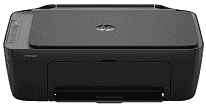
HP DeskJet 2955 Driver sets up communication between the computer and this all-in-one inkjet for printing, scanning, and copying. A nearby computer can use USB, while wireless setup sends jobs over the network when the printer has been added correctly. Scan access depends on compatible software after installation, since the flatbed needs the driver package before apps can read from it. Copying stays on the printer itself, but the same setup helps the computer recognize the machine without repeated connection errors.
HP DeskJet 2955 Drivers for Windows
1bc30e7e1c545d9ac964bddb5c1c696303163e18b92d9a54de3fc09bdb7d47c5620068045902345004931235f980d18321eb73b2b9e83672a905b17b6e82367733a48d17157441a5f626bf8b2b5f85c04c1a524bacff1c548f899ad90978765ec11fe40d2b794ffeb0c9f87b6f22efe7b178646c583b58276f0dc4b24872778a83d239d64aa753b224ac1a5c229527fba7a264eb3653fb95af54a387b27b3b1bHP DeskJet 2955 Specifications
HP DeskJet 2955 is a color thermal inkjet all-in-one that prints, scans, and copies, with no fax hardware inside the body. Ink comes from two cartridges: pigment black and dye-based tri-color. The flatbed uses a contact image sensor and accepts one original at a time, so multi-page scans need manual swapping. Basic settings sit on an icon LCD with physical buttons rather than a touchscreen. Memory is listed as 64 MB DDR1 plus 24 MB flash.
Black ISO printing reaches up to 7.5 pages per minute, and color ISO printing reaches up to 5.5 ppm. Draft mode is faster, at up to 20 ppm in black or 16 ppm in color, though that setting is meant for speed rather than best quality. Black output can reach 1200 x 1200 rendered dpi. On selected photo paper, color printing can be optimized up to 4800 x 1200 dpi. The flatbed scans at up to 1200 dpi and takes originals up to 216 x 297 mm.
Paper loads through a single 60-sheet input tray, then printed pages collect in a 25-sheet output tray. That smaller output capacity suits short home jobs better than long unattended stacks. Plain paper, photo paper, brochure paper, envelopes, and specialty inkjet stocks use the same feed path. Size support depends on region: some listings include A4, B5, A6, and DL envelopes, while others list Letter, Legal, common photo sizes, and Number 10 envelopes. Two-sided pages need manual turning because automatic duplexing is not built in. Borderless printing is also absent, so photos keep a margin.
A nearby computer can connect through Hi-Speed USB 2.0. Wireless jobs travel over 2.4 GHz or 5 GHz Wi-Fi when the printer is joined to the network. Phone and tablet printing can use the HP app, Apple AirPrint, Mopria Print Service, or the HP Print Service Plugin. The hardware does not include Ethernet or a memory-card slot, so network setup depends on Wi-Fi. With the trays closed, the body measures 425 x 304 x 154 mm. Fully extended, depth reaches 546.6 mm, and the printer weighs about 3.42 kg.
Technical Details
| Title | HP DeskJet 2955 Drivers |
|---|---|
| Device Type | All-in-one printer |
| Driver Version | Varies by driver and operating system |
| Available Downloads | Drivers |
| License | Free |
| Manufacturer | HP Inc. |