
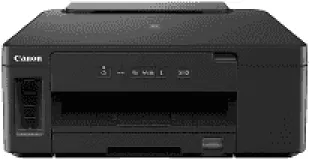
The Canon PIXMA GM2070 Driver helps your computer recognize the printer and communicate with it during printing. After installation, you can send documents through a compatible connection and access the printer’s settings. The driver also helps your operating system apply the correct paper size and print quality settings. This reduces the chance of communication errors and helps documents print correctly during everyday use.
Canon PIXMA GM2070 Drivers for Windows
2b65b4e13e90d64acea130cc621ba1b43a20ccfe109d7820bee762f3576849cfaa2e377b7955b7ed0092934fddcb9f66d394ece7d915e049ec75d7f1395c51aa8dd427942e8e31c574841b714286f9171dafe7b49dd781ec9b62ff0cc61cf1a415e26104a051d3f79061242bb8114e3d81f35bbe709d14bb07a6284eb01471d0Canon PIXMA GM2070 Drivers for Linux
0e59ca1781c046c0dc10876011d554ecb1744bdc50dd2209eccffa8a25507d85b9418ca56cfcedeb83fd09e38230d471d761a8ad6d4d80a684849ffecbea4a36c23cdef3ed28763ea3025422cbf1926e6ddec7c8c845ec52ce65b21e653f72faCanon PIXMA GM2070 Specifications
Black printing on the Canon PIXMA GM2070 uses a refillable tank filled with GI-70 pigment ink. The replaceable BH-70 printhead has 640 nozzles for that ink. Colour output works differently: it needs a CL-741 or CL-741XL cartridge, bringing 1,152 colour nozzles into use. There are no separate colour tanks to refill. This is a print-only machine, so scanning, copying, and faxing are not possible.
For ordinary black documents, Canon rates the printer at 13 ISO images per minute. From the ready state, the first page takes about nine seconds. Adding the colour cartridge brings a rated speed of 6.8 images per minute for colour jobs. Maximum print resolution is 600 × 1,200 dpi. Automatic two-sided printing uses supported plain paper, although black duplex speed falls to 4.8 images per minute. Borderless printing is not available.
Most plain paper can stay in the 250-sheet front cassette. The rear tray takes up to 100 plain sheets and is useful when a different paper type is needed. Both feeds accept A4 and letter paper, along with smaller A5 and B5 sheets. Legal paper must go through the rear tray, which also takes envelopes and 91 × 55 mm cards. Automatic duplexing works with plain paper in those four smaller sizes.
A computer can connect through Hi-Speed USB 2.0, or Ethernet can put the printer on a wired network. Wireless printing uses 2.4 GHz Wi-Fi, with a direct connection available without a router. Canon PRINT and network PictBridge can send jobs from compatible phones or cameras. With the trays closed, the body measures 403 × 369 × 166 mm and weighs about 6.0 kg. Canon recommends 150–1,500 pages monthly, despite a maximum duty cycle of 15,000 pages.
Technical Details
| Title | Canon PIXMA GM2070 Drivers |
|---|---|
| Device Type | Printer |
| Driver Version | Varies by driver and operating system |
| Available Downloads | Drivers |
| License | Free |
| Manufacturer | Canon Inc. |