
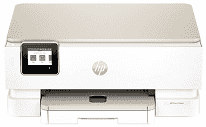
HP Envy Photo 7234 Driver helps the computer identify the all-in-one printer and send commands to it correctly. During setup, the software prepares the connection used for printing, scanning, and copying. Jobs can travel over a wired or wireless link, depending on the selected configuration. After installation, documents and photos reach the machine with the chosen layout, quality, and output settings.
HP Envy Photo 7234 Drivers for Windows
8ff08f1bf331da78764c76a67c5dd182c6016d462c356ff570ca2e9c6a9b10a2620068045902345004931235f980d18321eb73b2b9e83672a905b17b6e82367733a48d17157441a5f626bf8b2b5f85c04c1a524bacff1c548f899ad90978765ec11fe40d2b794ffeb0c9f87b6f22efe7b178646c583b58276f0dc4b24872778a83d239d64aa753b224ac1a5c229527fba7a264eb3653fb95af54a387b27b3b1bHP Envy Photo 7234 Specifications
The HP Envy Photo 7234 is an all-in-one inkjet for color documents, photos, scans, and copies. Printing comes from HP Thermal Inkjet hardware with one black cartridge and one tri-color cartridge. Originals can lie on the CIS flatbed or pass through the 35-sheet automatic document feeder. That feeder is useful for multipage work rather than loading each sheet by hand. A 2.7-inch articulating color touchscreen controls the machine, backed by 256 MB of DDR3 memory.
ISO speed reaches 15 pages per minute in black and 10 pages per minute in color. Draft mode is faster, rising to 22 ppm for black pages and 20 ppm for color output. Black resolution reaches 1200 x 1200 rendered dpi. Color printing can use up to 4800 x 1200 optimized dpi, and borderless output extends to 216 x 297 mm. Copying uses the same CIS scanning system rather than a separate image sensor.
A 125-sheet main tray holds ordinary document paper, while a separate 15-sheet tray keeps photo stock ready. Printed pages collect in a 60-sheet output tray. Automatic duplexing turns sheets for two-sided print jobs without manual reinsertion. The main tray accepts A4, A5, A6, B5, envelopes, and postcards. Photo sheets measuring 10 x 15 cm, 13 x 13 cm, or 13 x 18 cm use the smaller tray. Originals fed through the document feeder can measure up to 215.9 x 355.6 mm.
A nearby computer can connect through USB 2.0. For wireless jobs, dual-band 802.11a/b/g/n/ac Wi-Fi operates on 2.4 GHz and 5 GHz networks. Phones and other compatible devices can print through the HP app, Apple AirPrint, Mopria, or Chrome OS. With the trays closed, the body measures 460 x 383 x 190.5 mm and weighs 6.91 kg. Power draw reaches 14 watts during printing and falls to 4.9 watts in ready mode. HP rates the monthly maximum at 1,000 pages, although the recommended range is 300 to 400 pages.
Technical Details
| Title | HP Envy Photo 7234 Drivers |
|---|---|
| Device Type | All-in-one printer |
| Driver Version | Varies by driver and operating system |
| Available Downloads | Drivers |
| License | Free |
| Manufacturer | HP Inc. |