
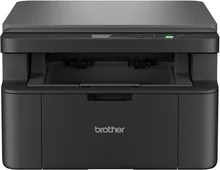
Brother DCP-L1632W Driver helps your computer connect and communicate with the printer during setup. It also keeps the connection working properly for printing, scanning, and copying tasks. This package improves operating system compatibility and helps reduce common setup problems. As a result, you get steady output quality and better device response for everyday use.
Brother DCP-L1632W Drivers for Windows
fb36c922d4ce7cbc5e86302ff82841377ad4fefc78bc2191730537df16770472469eac6f0d73d86e694e2b9d1dbcf73b6030a82d0fd41faf7c9cbc3bb7a9c1df469eac6f0d73d86e694e2b9d1dbcf73b6030a82d0fd41faf7c9cbc3bb7a9c1dfBrother DCP-L1632W Drivers for macOS
45384ef6a3a625c9c0c094dd5bd1e775ce171e97b3043dc3b03b5c8abc7f5a54Brother DCP-L1632W Drivers for Linux
fbe7582a4640b846f2e9aad2a33464508ac3bac1164aa7d40b51c913068f2ed8da404c0e8c874c88c45e8d3d1d8b88dbbc88ff7433eab8123080bbcf994f3e869c3a200db3dc7b2b3332dff8c5226b4f3ee560d20b2e1f4918b1faf7124517b2197f63a52e89b8744f5a3c2d843abb3b76d003d5d4830bdfe675c44841a6c72bd724746540a51f8286f2a318b47657227f7131d384a1a4f0475dacb7e3580f3ee74ef3a5529ebf3b26d6139ce15d75374a4538ba2efd48c28b209b0d705e5ec7Brother DCP-L1632W Specifications
Brother DCP-L1632W printer works using the technology of electrophotographic laser printing rather than inkjet printing. This is a monochrome printer. Resolution for printing is 2400 x 600 dpi using HQ1200. This type of toner design is suitable for regular use of reports, forms, invoices, and study material.
This printer is quite fast, and it can print up to 20 pages per minute on A4 paper and 21 pages per minute on Letter paper. Time to the first print is less than 10 seconds when in ready mode from the standard tray. It can perform any office document output, but without color printing. There is no information on borderless printing for this model.
Paper handling for this printer is relatively simple for use in small offices or at home. The standard paper tray can take up to 150 sheets of 80 g/m2 plain paper. Compatible sizes include A4, Letter, Legal, Folio, A5, B5, Executive, and 16K. The face-down output tray is able to accept up to 50 sheets of finished prints in normal work conditions.
Options of connectivity of this printer include USB 2.0 High-Speed using the USB Type-B receptacle, Wired LAN via 10Base-T/100Base-TX, and Wireless LAN. The wireless interface includes IEEE 802.11a/b/g/n infrastructure mode and Wi-Fi Direct according to regional variation provided by Brother. The recommended maximum length of USB cable for the wired connection is not more than two meters for supported regions.
The dimensions of the printer are 385mm (width), 340mm (depth), 255mm (height), which makes it possible to put it on most tables or counters. The weight of the printer with supplies is 7.3 kg. Two-sided automatic printing is not available for this model; that is why it is necessary to disable it in the driver settings.
Technical Details
| Title | Brother DCP-L1632W Drivers |
|---|---|
| Device Type | All-in-one printer |
| Driver Version | Varies by driver and operating system |
| Available Downloads | Drivers |
| License | Free |
| Manufacturer | Brother Industries, Ltd. |