
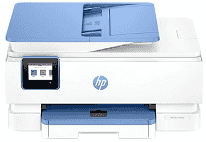
HP Envy Photo 7931 Driver establishes communication between the computer and the all-in-one during installation. A USB cable creates a direct link, or setup can use the wireless network. Once recognised, compatible applications can send print jobs and access scanning or copying controls. The software also transfers page layout and colour settings, helping documents and photos reach the printer as selected.
HP Envy Photo 7931 Drivers for Windows
434a673d4d90247012223e4124d63785bc76aa7eaf53d9df76213f8ee64dbe24620068045902345004931235f980d18321eb73b2b9e83672a905b17b6e82367733a48d17157441a5f626bf8b2b5f85c04c1a524bacff1c548f899ad90978765ec11fe40d2b794ffeb0c9f87b6f22efe7b178646c583b58276f0dc4b24872778a83d239d64aa753b224ac1a5c229527fba7a264eb3653fb95af54a387b27b3b1bHP Envy Photo 7931 Specifications
Printing in the HP Envy Photo 7931 comes from a thermal inkjet engine, and the same body also carries a flatbed scanner, an automatic document feeder, and copier functions. Ink comes from two cartridges: one black and one tri-colour. The control panel carries a 2.7-inch colour capacitive touchscreen. A 35-sheet feeder is fitted for multi-page originals, so routine scans need less manual swapping, but fax hardware is not built in.
Black documents print at up to 15 ISO pages per minute. Colour pages are slower, at up to 10 ISO pages per minute, which is typical for mixed document and photo work. Best-mode black output reaches 1,200 × 1,200 rendered dpi. Colour printing can reach 4,800 × 1,200 optimized dpi when suitable paper and input resolution are used. Scanning relies on CIS hardware with up to 1,200 dpi optical resolution, and copies run at up to 13 ISO cpm in black or 6 cpm in colour.
Paper input is split between a 125-sheet main tray and a separate 15-sheet photo tray. The main tray takes everyday sheets such as A4, A5, A6, and B5, with envelopes loaded there too. Small photo paper uses the photo tray instead, including 10 × 15, 13 × 13, and 13 × 18 cm sizes. Printed pages collect in a 60-sheet output tray. For two-sided documents, automatic duplex printing is built in rather than left to manual page turning.
A wired setup uses USB 2.0 for one nearby computer. Wireless jobs can travel over dual-band 802.11a/b/g/n/ac Wi-Fi, and Wi-Fi Direct gives a local path when a router connection is not the best option. Phone and tablet printing can use the HP app, Apple AirPrint, Mopria services, or the HP Print Service Plugin. HP rates the monthly duty cycle at 1,000 pages, though its recommended volume is only 300 to 400 pages. With the trays closed, the unit measures 460 × 383 × 233 mm, weighs 8 kg, and draws up to 14 watts during printing.
Technical Details
| Title | HP Envy Photo 7931 Drivers |
|---|---|
| Device Type | All-in-one printer |
| Driver Version | Varies by driver and operating system |
| Available Downloads | Drivers |
| License | Free |
| Manufacturer | HP Inc. |