
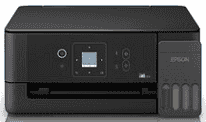
Epson EcoTank L3360 Driver helps the computer communicate correctly with this wireless all-in-one printer. After installation, the system can recognize the unit for print jobs and scanner access. A nearby computer can use the USB connection. Wireless printing can travel through the home network, which keeps the printer usable without keeping it beside the computer. Copy commands also pass through the installed software, so page settings and image data reach the device more reliably.
Epson EcoTank L3360 Drivers for Windows
03e473f7597f8757e8891d0db1e0f20d940ce55d66e42a9f12373bbc1032a8f51db5676787db0786605e2e02ff45f657b61e39c1a53346fcabecee9d55b508d0f063f3b24e0c34b8b07086f3ed1ccab617cfc14329591e33a12c82a6b0d396cdEpson EcoTank L3360 Drivers for macOS
85443945da509bc9a38c5fdda2b7eb4395c66b583852b0a4ffa0bddb54e7ae40ea0af39c13e581fe2f7739170c6b304249f55b66c2a862924bef99af8b9d2097Epson EcoTank L3360 Drivers for Linux
53f67c99e60f414518c456b268611f70f1697a10b741c9981fa55ffd8ba72333Epson EcoTank L3360 Specifications
Epson EcoTank L3360 is an A4 color all-in-one for printing, scanning, and copying. Four refillable tanks hold Epson 003 black, cyan, magenta, and yellow ink. Printing comes from a piezoelectric head with 180 black nozzles and 59 nozzles for each color. A 3.7 cm LCD controls basic settings. Originals must be placed one at a time on the CIS flatbed because no automatic document feeder is fitted.
Print resolution reaches 5,760 x 1,440 dpi. In draft mode, the machine can produce up to 33 black pages or 15 color pages per minute. Standard ISO rates are lower at 11 ipm for black and 6 ipm for color, which better reflect ordinary document printing. The first black page takes about 10 seconds, and color output begins in roughly 16 seconds. Optical scan resolution reaches 1,200 x 2,400 dpi over an A4-sized area.
Borderless photo output is limited to 4R size. A 10 x 15 cm borderless print takes about 90 seconds; adding borders reduces the quoted time to roughly 69 seconds. Automatic duplex hardware is absent, so two-sided documents need manual page turning. The rear feed takes regular A4 sheets as well as 4 x 6-inch photo paper. A4 originals fit on the scanner glass.
A nearby computer can connect through USB. Wireless jobs can travel across a Wi-Fi network or directly to the printer through Wi-Fi Direct, which accepts up to eight connected devices without a router. Phones and tablets can send jobs through Epson Smart Panel or Epson iPrint. Email Print and Apple AirPrint provide other remote and mobile routes. The ink reservoirs sit inside the body, and Epson’s Heat-Free print system ejects ink without warming the printhead during operation.
Technical Details
| Title | Epson EcoTank L3360 Drivers |
|---|---|
| Device Type | All-in-one printer |
| Driver Version | Varies by driver and operating system |
| Available Downloads | Drivers |
| License | Free |
| Manufacturer | Seiko Epson Corporation |