
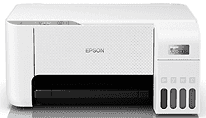
The new driver is instrumental in improving the speed and quality of prints by the Epson EcoTank L3216 printer. Through the use of the improved software, users are able to maintain system stability when printing for long hours. Installation of the new driver takes place in just a short while using easy procedures that any user can follow.
Epson EcoTank L3216 Drivers for Windows
34a36b16566dc2a2f1748aa52b9b7905da233c05dfb58e0b00bab178ffe78722975da06ef55e020b34205bb8814c6ff6c4a5d8e524dac079f696d314fe0528b552b914161d17166c72065af99796f51fcd5f7ebd01e30e48ecb7a9c2b8af4ff960b90c5ff9d0af94bc525cb5288246c823f4adc30c328f10d84684a285e9d8bcEpson EcoTank L3216 Drivers for macOS
7d5dd533a37bf465fe987755ec977ce83de5b3cb5fd4c6a446e89d031610a03c79afba06e1bc044ad98d498d8f3c4a86c1a13f48a766923e74310ce2d1b707d1ff9c317bd78e1b4a34e679f957a12a213bedc721ee88585b2879cdfe537c8a6cSpecifications of Epson EcoTank L3216
This printer uses Heat-Free Technology in order to boost efficiency in routine printing activities. It consumes less energy since ink is ejected without using any heat. Consumers get high-quality performance and save money on energy when printing frequently. The use of ink tanks allows the printer to be small enough for home and office use. The special design of the nozzles in the bottles helps to refill the printer with ink safely and correctly.
This model of printer impresses with high-quality prints with a resolution of 5760 x 1440 dpi. It allows users to create bright pictures and documents. Black document printing speed reaches 10 ipm, while color printing goes up to 5.0 ipm according to ISO standards. Also, consumers have an opportunity to print beautiful borderless photos up to 4R size.
It is possible to make considerable savings with ultra-high-yield ink bottles that help in cost-effective operations. The number of printed pages with each set of ink replacements is thousands. The speed of black draft printing reaches 33 pages per minute, and the speed of color draft printing is 15 pages per minute. The warranty period includes one year or 30,000 prints.
Epson EcoTank L3216 supports different operating systems such as Windows and macOS. Its CIS scanner takes images with an optical resolution of up to 1200 x 2400 dpi. The scanning time for monochrome pages does not exceed eleven seconds. Features of mobile printing include Epson iPrint, Epson Email Print, and Remote Print Driver. It is also convenient to manage printing via the Epson Smart Panel app.
Technical Details
| Title | Epson EcoTank L3216 Drivers |
|---|---|
| Device Type | All-in-one printer |
| Driver Version | Varies by driver and operating system |
| Available Downloads | Drivers |
| License | Free |
| Manufacturer | Seiko Epson Corporation |