
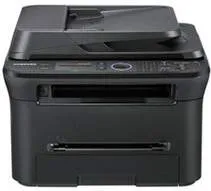
Printing with the Samsung SCX-4622FK model ensures a stunning quality and speed for a great value. On the one hand, the standard resolution for the printing process is up to 1200 x 1200 dots per inch (dpi). Also, it runs at a speed that is less than 9 seconds to print in monochrome from the active mode. Printing supports the Samsung Printer Language (SPL) with a standard duplex printing feature.
Samsung SCX-4622FK Drivers for Windows
fb621d79898fa3f7576df7dad4b0148f971318e8081c09e4138c1492be8e9bfb690fd42a57b08604228286c5ab1e5644617ec17ee6969a6f82c18c8d760bca2eSamsung SCX-4622FK Drivers for macOS
d62ef4c8ac2abe08c3673067e9a520601d13ff1e878d5d56faed95f1fce388b6493e59f54a38fcd236fc311663fdadf3c273adb8dc5d87122ab8f6a1eba32c5cc39d9a541b31ec0f6361fbbcc7cfe991a6cd58ebf9a1285083e5bdda7e948ae6Samsung SCX-4622FK Drivers for Linux
0c38213b846644500526bf281caaa6e36c40b8f2241cac2f0398c97c3814540eSamsung SCX-4622FK Specifications
In the copying mode, the speed is up to 22 copies per minute (CPM) when copying with an A4 paper. But when using a letter-sized paper, the rate is up to 23 CPM. Whereas, the resolution is the same, 1200 x 1200 dpi for productive output quality. Also, it takes less than 12 seconds to produce its first copy in the normal mode. Whereas, with the automatic duplexer document (ADF) mode, the first copy comes out in less than 14 seconds.
Furthermore, the zoom range for using this mode is between 25% to 400% at the optimum reach. After that, it produces up to 99 copies from a single original text with other features. Other features of this model include the ID copy, 2-up, 4-up, poster copy, clone copy, collation copy, and the auto-fit. As a multifunction printer, this device can also scan documents with either of two scan methods. The methods are the TWAIN or WIA standard with a color CIS.
In addition to all these new characteristics, the printer can produce an optical resolution of up to 1200 x 1200 dpi. Whereas, the enhanced resolution is up to 4800 x 4800 dots per inch with a scan to PC option. The input tray of this can hold up to 250 sheets of plain paper. However, there is a manual tray that will hold one layer at a time. On the other hand, the output cassette will only accommodate 80 sheets in a face down pattern.
Technical Details
| Title | Samsung SCX-4622FK Drivers |
|---|---|
| Device Type | All-in-one printer |
| Driver Version | Varies by driver and operating system |
| Available Downloads | Drivers |
| License | Free |