
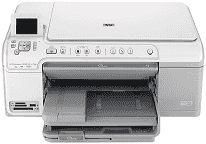
The HP Photosmart C5324 is a printer that can also scan, and even copy documents at top quality. Its technical specifications are outstanding while the system requirements are in the Readme file. The printer also supports plain paper, transparency film, labels, index cards, photo cards, and legal. The input tray holds a maximum of 125 sheets of plain paper while the output tray holds 50 sheets.
HP Photosmart C5324 Drivers for Windows
cac3b4a4ccc62e23f1c25a46fa0e313895b60f2e25f41449a812e3c43b517095ccf0c6a70955af405c9ce34dbd4093778e4d9d234b47bcc7dcdebc9b129a0c5db6a77d8aa6e904b9f431fa0ab3f73b30791f8dba3da6d924aa730a75b12e4867HP Photosmart C5324 Drivers for macOS
7ef1f685232d89fb5b0a2aa9fc0d94472af9538e0b6417c64ecf5388f647651bHP Photosmart C5324 cartridges
HP564 Black Ink Cartridge (~250 pages ), HP 564 Cyan Ink Cartridge (~300 pages ), HP 564 Magenta Ink Cartridge (~300 pages ), HP 564 Yellow Original Ink Cartridge (~300 pages ), HP 564 Photo Original Ink Cartridge (~130 pages )
Print specifications
1. The printing method the HP Photosmart C5324 printer uses is the economic drop-on-demand thermal inkjet printing technology.
2. The printing function can do panorama-size printing.
3. The print speed is relative to the model of the printer in use as well as the complexity of the document in print.
4. The print language is PCL3 GUI.
Copy Specifications
1. The copy speed of this device varies according to the complexity of the document.
2. The zoom range when copying extends to a maximum of 400% and carries a fit to page feature.
3. The copy function uses digital image processing.
4. The copier produces up to 50 copies from the original, and it also varies by model.
5. The copy resolution can be up to 4800 x 1200 optimized dpi output using a scan resolution of 1200 dpi.
Scan specifications
1. The scanner includes integrated OCR software that automatically converts scanned images to editable text. But the user will have to install this software.
2. The use of the scanner also includes a TWAIN-compliant interface.
3. The resolution of the scanning process is up to 1200 x 2400 dpi optical, but it varies according to the model of the printer in use. The maximum resolution is 19200 dpi in an enhanced mode with the use of the appropriate software.
4. The color depth is 48-bit depth with 8-bit grayscale (256 levels of grey).
5. The maximum scan size through the glass is 21.6 x 29.7 cm (8.5 x 11.7 inches).
Technical Details
| Title | HP Photosmart C5324 Drivers |
|---|---|
| Device Type | All-in-one printer |
| Driver Version | Varies by driver and operating system |
| Available Downloads | Drivers |
| License | Free |
| Manufacturer | HP Inc. |