
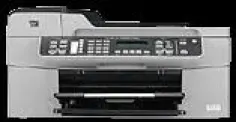
Many small businesses and companies need a single device that performs multiple functions. The HP Officejet J5788 is an ideal choice for small businesses or companies. With this printer, you can easily print, copy, scan and fax a document without these functions interrupting each other. This printer uses the thermal inkjet method for printing the documents. It supports the various types of paper such as Plain Paper, Legal Paper, Cards, Envelopes, and Labels, etc.
HP Officejet J5788 cartridges
HP74 Black Original Ink Cartridge (~200 pages ), HP 75 Tri-color Original Ink Cartridge (~170 pages ), HP 100 Gray Photo Original Ink Cartridge (~80 pages )
HP Officejet J5788 Drivers for Windows
f59333591be064cccd7dbc89d2c78280da9e80160cbb997e65f289407667c26282ff1fe6b4b607769ad73feef0f9975091daee2223ef1587505eba6a8d868fe068c448653d4aef03196695c8871356b0f955bdd4434a5d6015345aa70a06d0a71df6f10da7b8a58292ab8305206cb3bbe6347c99a2d2aaca488a34ab77f2cbc449657274fa0459a50a7beee0cd93f9a8ec6474463083eb27f15a8c150299533aa3a1a394cae4e0b5e26da19b42b6b905915e57ad12cac180a22c074ac6b1fe89b466da42c1b5fe9f522889cbdd7fc5ba88662c9018e4fbba88f08587fbd153e1HP Officejet J5788 Drivers for macOS
50702cffd8c77ef78beb9aef24d959abb3269a00093e241a2ec879c45e8c557838753d3fefcee2933b6f9ce3d4aa82e29d3de15bfc8624f792169f4fd9db2ab0Operating system detail of HP Officejet J5788 driver:
HP Officejet J5788 driver is compatible with various versions of Microsoft Windows including Windows 2000, XP, Vista and 7. The Intel Pentium 2 processor or 128 MB RAM is supported with Windows 2000 or XP. For Windows Vista or 7, the 800MHz processors with 512 MB RAM are required. This printer is also compatible with the Macintosh operating system including Mac OS X 10.3.8 or 10.4.x with a G3 processor and 128 MB RAM.
Latest operating system:
1. Windows 10
2. Windows 8
3. Windows 8.1
4. Mac OS X 10.10
5. Macintosh OS X 10.7, 10.5, 10.6, 10.8 and 10.9.
Specifications of HP Printer Officejet J5788:
1. Fax: The resolution of faxing a black document is 196×203 dots per inch and 200×200 dots per inch for color. It is also capable of faxing a black/white document or color document.
2. Print: In this printer, the resolution of printing for black is up to 1200×1200 dots per inch and 4800 dots per inch for color.
3. Copy: This printer’s copying speed is up to 0.85 ppm for black and 0.75 ppm for color with a resolution of up to 600×1200 dots per inch.
4. Media handling: It supports the different types of paper sizes such as A6, A4, A2, C6, DL, and A5, etc. The capacity of the input tray is up to 100 sheets of plain paper and 50 sheets of plain paper in the output tray.
Features of HP Officejet Printer J5788:
1. It is very compact.
2. Can be placed in a small space.
3. It doesn’t generate any Ozone gas.
Technical Details
| Title | HP Officejet J5788 Drivers |
|---|---|
| Device Type | All-in-one printer |
| Driver Version | Varies by driver and operating system |
| Available Downloads | Drivers |
| License | Free |
| Manufacturer | HP Inc. |