
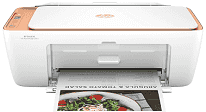
HP DeskJet Ink Advantage Ultra 4900 Driver gives the computer the software link needed for this wireless all-in-one printer’s print, scan, and copy functions. Once installed, print jobs can move with the right paper and quality settings instead of relying only on basic system control. Scanning also depends on the matching software because the printer has to send flatbed image data back to the computer. A nearby computer can use USB, while wireless printing and scanning depend on the printer joining the network correctly.
HP DeskJet Ink Advantage Ultra 4900 Drivers for Windows
620068045902345004931235f980d18321eb73b2b9e83672a905b17b6e82367733a48d17157441a5f626bf8b2b5f85c04c1a524bacff1c548f899ad90978765ec11fe40d2b794ffeb0c9f87b6f22efe7b178646c583b58276f0dc4b24872778a83d239d64aa753b224ac1a5c229527fba7a264eb3653fb95af54a387b27b3b1bHP DeskJet Ink Advantage Ultra 4900 Specifications
The HP DeskJet Ink Advantage Ultra 4900 is a color inkjet all-in-one printer with printing, flatbed scanning, and copying. Fax hardware is not built into this DeskJet line. Printing comes from HP Thermal Inkjet technology, using HP 47 black and tri-color cartridges. The control area uses buttons with an LCD, so wireless status, copy settings, setup prompts, and error lights stay on the front panel rather than a touchscreen.
Black print resolution reaches up to 1200 x 1200 rendered dpi. Color output can rise to 4800 x 1200 optimized dpi, but only on selected HP photo paper. ISO speed stays in the entry-level range at 7.5 ppm for black pages and 5.5 ppm for color pages. Scanning relies on the flatbed at 1200 dpi optical resolution. The glass takes originals up to 8.5 x 11.69 inches, and copies come from that same flatbed instead of a document feeder.
Paper loading runs through a 60-sheet rear tray, with printed pages landing in a 25-sheet output tray. Longer print jobs may need the output area cleared before the input tray is empty. Plain paper, photo paper, and brochure paper all use the rear feed. Envelopes and other inkjet specialty sheets go through the same path. A4, B5, A6, DL envelope, letter, legal, and common photo sizes are listed. Two-sided documents need manual page turning because automatic duplex printing is not listed.
Wireless use runs on 2.4 GHz Wi-Fi, and Wi-Fi Direct helps when a router connection is not available. A nearby computer can connect through Hi-Speed USB. Mobile printing works through the HP app, Apple AirPrint, Chrome OS, and Mopria. Ethernet and memory-card printing are not part of the hardware. HP lists a monthly duty cycle of up to 1000 A4 pages, with operating power at 10 watts.
Technical Details
| Title | HP DeskJet Ink Advantage Ultra 4900 Drivers |
|---|---|
| Device Type | All-in-one printer |
| Driver Version | Varies by driver and operating system |
| Available Downloads | Drivers |
| License | Free |
| Manufacturer | HP Inc. |