
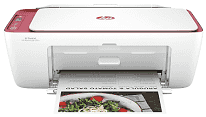
HP DeskJet Ink Advantage Ultra 4929 Driver helps the computer talk properly to this all-in-one printer during setup and daily use. Once the software is in place, printing, scanning, and copying can appear as normal device functions instead of separate setup problems. A USB connection suits one nearby computer. Wireless use lets another device send jobs over the network, so the selected print or scan settings are less likely to be missed. For this model, the driver matters most after a setup change, because the computer still needs the right software before pages or scanned files move correctly.
HP DeskJet Ink Advantage Ultra 4929 Drivers for Windows
620068045902345004931235f980d18321eb73b2b9e83672a905b17b6e82367733a48d17157441a5f626bf8b2b5f85c04c1a524bacff1c548f899ad90978765ec11fe40d2b794ffeb0c9f87b6f22efe7b178646c583b58276f0dc4b24872778a83d239d64aa753b224ac1a5c229527fba7a264eb3653fb95af54a387b27b3b1bHP DeskJet Ink Advantage Ultra 4929 Specifications
HP DeskJet Ink Advantage Ultra 4929 is a thermal inkjet all-in-one that prints, scans, and copies. Ink comes from two cartridges: one black and one tri-color. The package sold in India ships with HP 47 setup cartridges. Originals can go on the flatbed or through the automatic document feeder, which is useful for a short stack of pages. An icon LCD controls local tasks, backed by a 1.0 GHz processor, 64 MB of DDR1 memory, and 24 MB of flash storage.
Under the A4 ISO test, print speed reaches 8.5 ppm in black and 5.5 ppm in color. Draft mode raises those figures to 20 ppm and 16 ppm. A black first page takes about 15 seconds, with color following in roughly 19 seconds. Black documents can render at up to 1200 x 1200 dpi. Selected photo paper permits optimized color output up to 4800 x 1200 dpi.
The input tray holds 60 sheets, which is better suited to routine home documents than long unattended jobs. It accepts A4, B5, and A6 paper, as well as DL envelopes. Custom sheets can range from 76 x 127 mm to 215 x 355 mm. Printed pages collect in a 25-sheet output tray. Photo and brochure paper can share the same feed with plain sheets and other inkjet media. Two-sided printing requires the user to turn the paper manually, and borderless printing is not available. The flatbed scans an area up to 216 x 297 mm at 1200 dpi.
A nearby computer can use the Hi-Speed USB 2.0 connection. Wireless jobs travel over a 2.4 GHz 802.11b/g/n network, as the printer does not use a dual-band radio. Phones and computers can print through Apple AirPrint, Mopria Print Service, Chrome OS, or the HP app. Copy resolution reaches 300 x 300 dpi, and one operation can produce no more than nine copies. With the trays closed, the body measures 425 x 304 x 154 mm. Opening the output extension increases the depth to 546 mm, and the printer weighs about 3.42 kg.
Technical Details
| Title | HP DeskJet Ink Advantage Ultra 4929 Drivers |
|---|---|
| Device Type | All-in-one printer |
| Driver Version | Varies by driver and operating system |
| Available Downloads | Drivers |
| License | Free |
| Manufacturer | HP Inc. |