
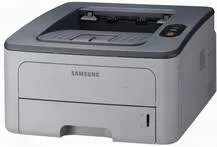
Samsung ML-2852 model is another classic member of the Samsung ML-2850 printer family series. One of the new specifications includes a print speed of up to 28 pages per minute (ppm) for A4 paper. On the other hand, when printing on a letter-size paper, the rate reaches up to 30 ppm. When the printer is working in the duplex printing mode, the rate is up to 14 ipm for A4 sheets. But when printing at the same method on a letter-size paper, the speed is up to 14.5 ipm.
Samsung ML-2852 Drivers for Windows
e4256eca5151a5c923b75e781c763b961f6230ab465a23999eeb417bd58ee27f03bafa9ab25c046533dc9691176a69e5bf393850fae9f552fc2ca3d372f13e0a2bc2f63509837588dcebc3a786473f1cdf9b721516d0abbc66ec8a9410d860adb070e320cb18bc9efe3dbdb1daa1214887d255e5b44005721f2e05710a5cbe6bSamsung ML-2852 Drivers for macOS
c19bcdf31b5410e5a3497bc6cd298829745f6431b55f267af50135e72568f75fSamsung ML-2852 Drivers for Linux
0c38213b846644500526bf281caaa6e36c40b8f2241cac2f0398c97c3814540eSamsung ML-2852 Specifications
By the way, the duplex mode allows the printer to print on both sides of the print sheet at optimum quality. The printer also takes less than 8 seconds to warm up at the beginning of work. Then the first print out time is about 8.5 seconds from the active mode. But while the Samsung ML-2852 printer is waking from the sleep or standby mode, the time is about 15.5 seconds. In terms of the power rating, there are two categories, 110 and 220 volts.
The former category allows a voltage range between 110 and 127 volts. Whereas, the latter category allows a range between 220 to 240 volts. Hence, other details of the power are available on the printer label, such as frequency, and the type of current. Then, the power consumption at optimum performance is about 400 watts on average. But in the power saver mode, the power usage is less than 8 watts.
The produced noise level for the standby or sleep mode is less than 26 dBA. But during the printing process, the noise level can reach up to 50 dBA. Its compatible cartridges include a standard yield cartridge with an average capacity of 2000 standard pages. On the other hand, it has a high yield cartridge that can produce up to 5000 standard pages. However, in the beginning, the printer comes with a standard toner for a start, that can create 2000 pages.
Technical Details
| Title | Samsung ML-2852 Drivers |
|---|---|
| Device Type | Printer |
| Driver Version | Varies by driver and operating system |
| Available Downloads | Drivers |
| License | Free |
| Manufacturer | Samsung Electronics Co., Ltd. |