
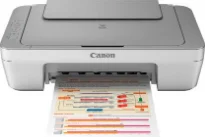
Printing with the Canon PIXMA MG2470 model machine comes with exceptional specifications that give a good value for the user’s money. For instance, it has a printer resolution of about 4800 (horizontal) x 600 (vertical) dots per inch (dpi). Print interface options include the hi-speed USB 2.0 port, which is also compatible with the 1.1 version. The applicable computer must also be compatible with the standard USB cable from the manufacturer.
Canon PIXMA MG2470 driver Downloads for Microsoft Windows 32-bit – 64-bit and Macintosh Operating System.
Canon PIXMA MG2470 Drivers for Windows
6168a3d8039223ba68ac2690aafcec2e188548b37eab71520c6db922d8b4e6e2a120fa8907a237415671a64549fca3a4ff9fdd782e545acb0786c0b3f72491f1813908589aaad81325dabfb058088e310594a66f4113fff6324826b1f38e688a8dd427942e8e31c574841b714286f9171dafe7b49dd781ec9b62ff0cc61cf1a415e26104a051d3f79061242bb8114e3d81f35bbe709d14bb07a6284eb01471d0Canon PIXMA MG2470 Drivers for macOS
3f4c9e95b3363f5fc0afc5c7ed0b78727f00fd4cbe78bfc4958dcb0b5fadc50b4ac89fb8d831cd67dfc408316ac83a7b798b61ebc4b92106779539a940924b0b1e44e19cd03e75da9b611cb11abac3c52eb73a65b8fb49c3277923cbfd7c8deb3181a930a18df5a3a324414de19958b2b1228b071a99d33b3ff346e5cf372effa54bd460370514da84d794fed154bcea9633285559c8e647ecc941e2000acce3806327eca528d000b69de6f98a97e326e6d01e013ea0abe1a0d55d2d850b2414806327eca528d000b69de6f98a97e326e6d01e013ea0abe1a0d55d2d850b2414c5d9d4e3007dceb1012d0e06637569765aba84416126622c24ed77b447b0fa93a4cf827450cf8054b2ef3feffac6121a3511e3ad2ae6f2dbf298de0e9b600863Canon PIXMA MG2470 Drivers for Linux
b4b76e5e225b58ff66b397ff3124dfbf36c12d443fcf14ce50e646b8e6376a8ab293a552e627d923a6be2039176f0dfc011b954ba574dce07c0dea476c4ed836f722567b3c24dd12a07ca00952a09859cff875585e794f15dc1814c45f5d02bcb3e292e4f9100f57d8e264116efead9006d49ec35ca877b570603222684213682a5fea7222f91ce969bf494eaef15116438ecadc0039aa52c134815c5b27e248a5741c9f7219f02b68b53cd295d695a7782e070f7e681634f06cd15eefae2a6cCanon PIXMA MG2470 Supported Ink Catridges
Ink Cartridges CL-746 Colors Cyan Yellow Magenta, Ink Cartridge PG-745 Pigment Black
When the machine is in operation, it supports a temperature between 5 and 35°C for optimum performance. In addition to that range, the supported relative humidity is between 10 and 90% with no condensation. On the other hand, the relative humidity for the storage period is between 5 and 95%. Meanwhile, the temperature range is between 0 and 40°C to keep the machine in perfect shape. This machine also allows a print width of 8 inches, which is about 203.2 mm.
The power supply for using this Canon PIXMA MG2470 machine should remain between 100 and 240 volts with a frequency of 50/60 Hz. Similarly, power consumption is a factor of the printing processes. For instance, the standby mode requires a minimum of 1.0 watt of power. However, printing and copying need 9 watts of power, while the ‘off’ mode will only use 0.4 watts. Users should also note that the waiting period is not changeable once the machine is in the standby period.
The outer sides of the Canon PIXMA MG2470 printer model comprise a width of 16.8 inches. It has a depth of up to 12.1 inches while the height is about 5.8 inches. Besides, the weight of the machine is up to 7.6 lbs, which is about 3.5 kg flat, and this measurement is in consideration of the installed FINE cartridges in place.
Technical Details
| Title | Canon PIXMA MG2470 Drivers |
|---|---|
| Device Type | All-in-one printer |
| Driver Version | Varies by driver and operating system |
| Available Downloads | Drivers |
| License | Free |
| Manufacturer | Canon Inc. |