
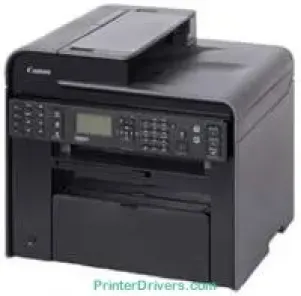
The Canon i-SENSYS MF4750 model can produce an average resolution of 600 x 600 dots per inch (dpi) for A4 paper. On the other hand, the maximum print resolution is up to 1200 x 600 dpi while using the enhanced printer component. The extra tool is the automatic image refinement (AIR) component. Printing in black and white has a rate of up to 23 pages per minute (ppm) under ideal conditions. As a multifunction device, this machine can also produce optimum quality.
Canon i-SENSYS MF4750 driver Downloads for Microsoft Windows 32-bit – 64-bit and Macintosh Operating System.
Toner Cartridge Details: 728 Black Toner Cartridge : Yields up to 2100 Pages
Canon i-SENSYS MF4750 Drivers for Windows
9bc3302be36e650809a76c6c34a3cf448cc7efc4cc49b895e248c4d42a4f866d9bc3302be36e650809a76c6c34a3cf448cc7efc4cc49b895e248c4d42a4f866d67c1302f0e2115f3f8c1aa60b56568f4080b9e8476c3be7884ede0533acb91664d55a4a3e3f5a130bc7a9ccfc5f72f91edf71646e99efe25e959fc74157e973fCanon i-SENSYS MF4750 Drivers for macOS
d5f10278e0dd91a898757299adb4a566e5f14e6ad073c885da268768b7b8172e0485a03ef39ecfdf93f0d306d06db70162ec51ee6101b8b216a6bf379343eb35503619d05f501b7a04c15b3f849f415878d501725df252139d81841280c628e8ff5d80d992a0f8b003104ffdc1bdf36bfe8bce0aa49cce77b27cdc9a95a5776ca2f4cd0e35483928ff487a3267ea5c930711de5d487220a3d3402f65c263e8e66708a180dad9484c82047dc4624ec4b3dd3438231e6ac5cbcdba793755e1ddb45efcaeccd8b1f1103d2bb966199a47fc50f0116996d987bd51178d61474c2151c98999b876d4bc8928e9adbfd33748039773dbb01850e711679363ae3e93785b8a9fe8a3ad9ee02fb65e10e05eda1e6d8e6ba268fa987a6e164d5ba661bb1240917e7c7089148ed46d637656f66159b2042287e9084b2b921ae5b5f5c0eb0e4837c7892368c2313a0619c97b4f71f32be34757bfcc84538a957d6f23e43e81f0da6c9cbd85a75754061053b0cd0086f0297ea2f9d52a2bb0056fff1438bcff1209431107d2b98a5c1a3d4ae6141590e902abf12a5f16be1d69712e8cfe9845590297641744ea447acd804af112d0693e6588ba52e03feaf0d3150446eb3e84f535dc19aa61aba625226444a79ce3488bb61f99b0c653d1abf054c9b471d5a1b3e65a67c44f07e8c6ecf20e167ae2d83d355023809358287d3a2badbce6507585319819327b889a34a931905184cbeb1e9c986e5d635fa77c88f5de1e424c30886321f7ffd7900bcf8e4b8ce99f0d3d7af91556b836e302306ae8a25a2e16df9de6a48ab862ab2fa01c7793bae9776d4de130b89fe50e189ff8c78d1e5fa6183d9dd3f1b1c7dc175ab7cd4bb929f902c55966150a6a0273dbb36ccad0f146006a360e961225a3a218f8f019abb06cafb6699a0ae2279c20467a32e972a2b98b6d317cf79acc2b5c650f2d0487297a075500cf16bac82b4995036f450d7eb267a802735f008f6d8f5882c2824e3f2b83f7ccf7de77a1e3cca3f3007e0d40da0aefCanon i-SENSYS MF4750 Drivers for Linux
b7031f9f0aa035cbc5175cb86e3bd83d06f90673a63ea40105ffb5cc6c60237fCanon i-SENSYS MF4750 Specifications
During the scanning process, the optical resolution is up to 600 x 600 dpi. On the other hand, the enhanced scanner resolution is up to 9600 x 9600 dpi. Similarly, the machine also has a color image scanner that also is compatible with A4 paper. Furthermore, the copying mode has a rate of 23 ppm with the black and white documents. Also, the reduction and enlargement limits are between 25 and 400% with 1% gradual increments.
Besides, the copy resolution is about 600 x 600 dpi with the inbuilt copy component. This machine also has a faxing component with a modern fax facility. On the other hand, the device has a USB user interface with a hi-speed 2.0 port. Besides, it has a maximum internal memory of 128 MB of RAM. The Canon i-SENSYS MF4750 model has a primary input paper tray that can hold up to 250 plain paper sheets.
It also has an automatic document feeder (ADF) that can hold 35 sheets of the same plain paper. But the third option is a manual feed slot, which contains one sheet at a time. In copying, this device also can produce up to 99 copies from a single original document. Simultaneously, the maximum paper size is the A4 with a maximum duplex paper weight of 163 gsm.
Technical Details
| Title | Canon i-SENSYS MF4750 Drivers |
|---|---|
| Device Type | All-in-one printer |
| Driver Version | Varies by driver and operating system |
| Available Downloads | Drivers |
| License | Free |
| Manufacturer | Canon Inc. |