
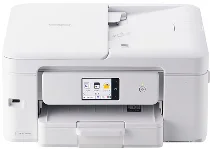
Brother DCP-J929N Driver sets up computer communication with this colour inkjet multifunction printer for printing, scanning, and copying. After installation, the operating system can identify the Brother DCP-J929N and send each job to the correct function. A nearby computer can connect through USB for a direct link. Wireless setup lets print jobs and scan requests move through the network without a printer cable.
Brother DCP-J929N Drivers for Windows
bcf42287a6feb5180dea3d2ff80c905437573aaa66e9459820326ba2c09cd6d71e50ab82451b7d1e1807b357cfdbd745bdd64935d9062b6036222c8602ad7cbc1e50ab82451b7d1e1807b357cfdbd745bdd64935d9062b6036222c8602ad7cbc0edce9170c3f46f065e52aa6335c093befa453212698a94c7d59fcfc5197fa7e0917273bb5bc10ee4775f36bd98bd05152835bf5370614cf5a803ffa9260b0adBrother DCP-J929N Drivers for macOS
3d31317f050892dd89b4a54b9ebb9c985b6762a3c55a7535e56bdf5ea5fe2f98Brother DCP-J929N Drivers for Linux
4303b65b621211c975b6b620fcd4af3416659d4de0f52d47922c9450109a9d4743c2d7e93aece0e8cb159d1ccc93309deccb486563cc934514be1935d12f762a9c3a200db3dc7b2b3332dff8c5226b4f3ee560d20b2e1f4918b1faf7124517b2197f63a52e89b8744f5a3c2d843abb3b76d003d5d4830bdfe675c44841a6c72bcda25534ea8e3018e7d46b970cb08b36084355adedc933aba0c8c7d03e903db901dc859f1978e645147ced5ec4b5448cc3e26b1c6d2f1104834f5891c0e17469d724746540a51f8286f2a318b47657227f7131d384a1a4f0475dacb7e3580f3ee74ef3a5529ebf3b26d6139ce15d75374a4538ba2efd48c28b209b0d705e5ec72ba3bffcf199fee6387cb79d6923214648db0f2df1c5a13f8f8f0a6fe0995c401404f2622e60470b4de25d0cdb4adc0f130ace6b380cc0d4b3d7714ad761c1ae82aa17ba2e331de1fcb34f0a839d27b9b193ac680d9742250a89e588a6bd56206c4e17c6dbcf263d9d08fb460ccd5b9f1a23fce79b30d0a41d96a224839322b2Brother DCP-J929N Specifications
The Brother DCP-J929N is a colour inkjet multifunction printer for printing, scanning, and copying. Its piezo print head uses 210 black nozzles and 210 nozzles for each colour channel. Four separate LC511 cartridges supply pigment black ink and dye-based colour inks. A 2.7-inch TFT touchscreen sits on the front panel, and memory is 256 MB. Fax is not included, and the body weighs about 7.6 kg.
Print resolution reaches up to 1200 x 6000 dpi. On A4 plain paper, speed is about 15 ipm in mono and 14.5 ipm in colour. Ink-save mode raises speed to about 27 ppm mono and 23 ppm colour. The first page takes about 6.2 seconds in mono or 6.5 seconds in colour. L-size photo output takes about 44 seconds in high-quality mode. Automatic duplex printing works with A4, A5, and B5 plain paper.
Scanning can use the flatbed glass or the 20-sheet automatic document feeder. Optical scan resolution reaches 1200 x 2400 dpi, and software interpolation can raise the scan setting to 19200 x 19200 dpi. Colour scanning records 30-bit input and 24-bit output. Grayscale depth is 256 levels. Copy resolution reaches up to 1200 x 2400 dpi. One copy job can run up to 99 copies, with scaling from 25 to 400 percent.
Paper input comes from a 150-sheet front tray. A separate manual feed slot takes one sheet at a time, and finished pages collect in an output tray rated for up to 50 sheets. Paper sizes include A4, Letter, Legal, B5, B6, A5, A6, postcards, index cards, L-size, 2L-size, hagaki, double postcards, and several envelope sizes. A direct computer link uses Hi-Speed USB 2.0. Wireless use runs through 2.4 GHz or 5 GHz wireless LAN, Wi-Fi Direct, WPS, AirPrint, Mopria, and smartphone or tablet printing.
Technical Details
| Title | Brother DCP-J929N Drivers |
|---|---|
| Device Type | All-in-one printer |
| Driver Version | Varies by driver and operating system |
| Available Downloads | Drivers |
| License | Free |
| Manufacturer | Brother Industries, Ltd. |