
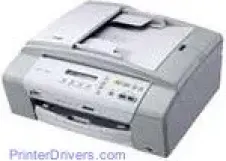
With the Brother DCP-185C printer by your side, you can rest assured that your printing work is in good hands. The device is a multipurpose printer with the ability to scan, print, and copy documents with exceptional outputs and good speed. It also has very moderate size and is affordable to maintain for both private and commercial uses.
Brother DCP-185C Drivers for Windows
f7337dcf5ea2c1a708f33399e22cec321b5f377ac5943abff5e7679a8cd549d89f2c3b171255b30e777f02bb6ce74430bf778459bc704dc4b88f22cd0fd03245821aee25884ef7bf96388096596b9f75df654dec5f65beccf031ade709688666Brother DCP-185C Drivers for macOS
1aaa338b02c6b61b96e08800b035a90fdd777b02861807e02e1bd97277a193b7a96719ab0419a23b7c72b227c2ace386eb30412ea7798b98db072bec6e72373d4d8dab607b92fa1c25414862e37aefe81f48f3d997f07a7793a12e7b0a796f37ea03d4698662345da1dcdce26e9f702b7c42640e5517c79bc6c20b33c7d188042655009c26abcf803ff457638f98a969c0018a3e7a6ae659f1b1ec6cf553f83116bafa7116c290d716bf94536f88b76eb35ea37ccdd403af5f396e8e19fbc5ff2657b206858b952b0031462c1a387fb6742487c72faf4d31d5f6ebe8f9e2994ba8ad5f290216f7f27b956f4c0919872b7761a578a0ab140ad477f64dec251c4cae001d779970ef410700883aca538ea62732ac9b95f7358283973397e851ca1b6a9ef2865964ff4918dd1441876a80485fb8c329df36aa8d6680deff2eecd53e949467d5fd874da4f4bcf9028483495f8319aad70483dbb26c2c4db964fbc8a77a561501401629bf6fa158d46c5a190eefe95941b2d995e77190840bfb4a58de59553d65e3e1fd0efacf7816fbbefce981bc6f2b27ffc20c6b452dba4c4a8d7ca47f2e6b9b5d9f4dc7bf154292f2e691176be4724779a06d00497673134f1a5047e26a481968bd3ae74b6d77b69c018982a7e0451375ed6990cb18cfd6c92b59868ee1de715a54d657a791d0077a3621bbc02efe2d1d5e69a9b3472a42f1aad0f8b36b787a34698bbe669254a86c305f6b4a595b292f97c41e6e82816be371ddBrother DCP-185C Specifications
The printer has a color inkjet print engine that works well with the CIS scanning technology. The physical size includes a height of 180 mm, a width of 390 mm, a depth of 375 mm and a weight of 7.8 kg. When scanning through the scanner glass, the maximum height is about 11.7 inches while the maximum width is 8.5 inches. There is also support for an automatic document feeder (ADF with this printing device.
The ADF feature can hold an additional 15 pages of paper in support for the main input tray. Whereas, the primary input tray capacity of this printer is about 100 pages of plain sheets of legal paper of standard sizes and weight. Furthermore, the output tray can hold up to 50 sheets of printed paper. The conventional means of connecting a PC to this printer is through the USB 2.0 full speed port with a cable that is not longer than 6 feet.
This printer has an internal processing memory capacity of 32 MB of Ram with combination with the processor to produce high speed and accuracy. The device also supports an external TAD interface, a fit to page copying feature and printing of posters and stacking up to 99 copies from an original document. Color copying is at a resolution of 600 x 1200 dpi, and that also goes for printing and scanning.
Similarly, the printer can reduce the size of an original document to 25% of its original size and enlarge to up 400% with gradual increments of 1%.
Technical Details
| Title | Brother DCP-185C Drivers |
|---|---|
| Device Type | All-in-one printer |
| Driver Version | Varies by driver and operating system |
| Available Downloads | Drivers |
| License | Free |