
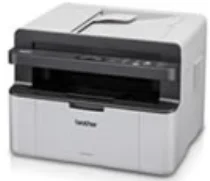
Brother DCP-1616NW Driver helps the computer communicate correctly with this monochrome laser multifunction printer. After installation, print jobs can pass from the operating system to the machine without using a generic driver. The same driver package is also needed for scanner access, while copying runs from the printer hardware itself. Faxing is not built into this DCP model. Network use can run through Ethernet or wireless setup, depending on how the printer is connected.
Brother DCP-1616NW Drivers for Windows
d304c0d1a569c2d1d91f2fdde4000c3dbb2781c76e2b52fc5059a23098ef93125655604002f68475227c46f170738b98426a89007292d6303000d9cd6b0509715655604002f68475227c46f170738b98426a89007292d6303000d9cd6b050971Brother DCP-1616NW Drivers for macOS
ccd05a0ff77b516148780b0faac3e495cc38a6893f850a417f0d8275770fb253ac24dc9ef5043009b2f2646e04861883d81baeb6d1d13139b1686028b80f59c0Brother DCP-1616NW Drivers for Linux
660136a3fc54d75f8ccd29c161a917644e66f906bce7f288a37d70296026b066862d1bdb70e0497553fdf340f98d9a24e768a6ded2c235326327aff356e81a582a9f9a68d9d084eb037c1949742b972a0e8bb7047e4aaa3d170c31fd0322bcb75bf9d1fb429eeb884c44f6f9258b4a3adfbbf4e74d2f4a2ae1e366e6e88087a8027b73648722ac8c8eb1a9c419d284a6562cc763feac9740a2b75a683b09297289d82315fd9d629f8af7b5bc489f392da218acfe2436e42eec147246101636d5cda25534ea8e3018e7d46b970cb08b36084355adedc933aba0c8c7d03e903db901dc859f1978e645147ced5ec4b5448cc3e26b1c6d2f1104834f5891c0e174694225e91dd7f7d0ba2a202f616b15b669be7800c271a7d25efed94191f71fc4500fec3bcffeb597b2d23ef7ff31f34dc7bd8d4736a35c2d1ff5e56784d709ce532ba3bffcf199fee6387cb79d6923214648db0f2df1c5a13f8f8f0a6fe0995c401404f2622e60470b4de25d0cdb4adc0f130ace6b380cc0d4b3d7714ad761c1ae82aa17ba2e331de1fcb34f0a839d27b9b193ac680d9742250a89e588a6bd56206c4e17c6dbcf263d9d08fb460ccd5b9f1a23fce79b30d0a41d96a224839322b2Brother DCP-1616NW Specifications
Brother DCP-1616NW is a monochrome laser multifunction machine for printing, scanning, and copying, while the DCP body leaves out fax hardware. Printing comes from an electrophotographic laser engine backed by 32 MB of memory. For document capture, the scanner pairs a flatbed glass with a 10-page automatic document feeder, and the India-listed machine runs from a 220 to 240 V AC supply only.
Print resolution reaches up to 2400 x 600 dpi with Brother HQ1200 technology. Single-sided output runs up to 20 pages per minute on A4 or 21 pages per minute on Letter. At 23 °C and 230 V, first-print time is less than 10 seconds. Colour scanning reaches 600 x 1200 dpi optically from the glass. Interpolated scan resolution rises to 19200 x 19200 dpi.
Copying works at 600 x 600 dpi, with stack or sort output for up to 99 pages and scaling from 25% to 400% in one-percent steps. Paper input comes through one tray for plain or recycled paper, including A4, Letter, Legal, Folio, A5, A5 long-edge, B5, and Executive. The tray holds up to 150 sheets of 80 g/m² plain paper, while face-down output holds up to 50 sheets.
A nearby computer can connect through Hi-Speed USB 2.0, while wired networking uses 10BASE-T/100BASE-TX Ethernet. Wireless LAN follows IEEE 802.11b/g/n, and setup works through AOSS or WPS. Network services cover print and scan functions through IPv4 or IPv6. Physical measurements are 385 x 340 x 283 mm, with an 8.2 kg listed weight including consumables, about 390 W during printing or copying at 25 °C, and about 50 W in ready mode.
Technical Details
| Title | Brother DCP-1616NW Drivers |
|---|---|
| Device Type | All-in-one printer |
| Driver Version | Varies by driver and operating system |
| Available Downloads | Drivers |
| License | Free |
| Manufacturer | Brother Industries, Ltd. |