
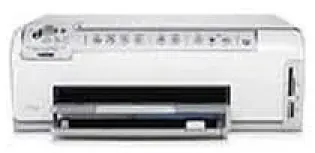
The HP C6200 series is a series of individual printers that can serve various purposes. And the HP Photosmart C6288 is one of them. This device is suitable for all the users’ requirements including printing, copying, and scanning.
HP Photosmart C6288 Drivers for Windows
4d5066b2f6e05ca32ce484a89dda9da7ef347c4d01c0c2756ce744a98b866a973251272b54b037b7fc11e8485bacad9d232be8afdf57fb6abc359c87174a8cdb77e83a08b7f2be6eb6e59a89140818c2dbff58ea8f2999fe9812a442b2353d0d2adbbee53e670a5add81e17e119882e93d8ddb36a89b0e117c7469dfedade19338fc9096425fe4240b41058fa180c4338b6cd4de30101e7586f1aa527faee5e1ce728403422ec1c590fb971561abec94e476484815326373058a39afd61bccc2d2f18088da8df16f0017983756626431eeeeddb0e386dd19a223c89e5a6a9c4fHP Photosmart C6288 Drivers for macOS
0205059d568e141eead6f396640cba564e4ec207802dd974c2d2b39f03dee73302542e94b87a2d72a0bf9682b517b90d54f6e39944c791a26c4bf941e86a1c49Specification of HP Photosmart C6288 Printer
Starting with the Print specification of the printer, it uses PCL3 GUI language for printing. It has a drop-on-demand thermal technology with an additional Panorama-size printing feature. The device can process 1200 x 1200 rendered dpi black and 4800 x 1200 optimized dpi color. This device has a duty cycle of 3000 pages per month.
The printing speed varies according to the document complexity.
Now, about the Copy specifications, the printer has a digital image processor. It can make almost 9 copies of the original document at once. The specialty also includes the enlargement and reduction feature. It can zoom up to 200-400% and reduce the document size up to 25-50%. Just as the printing specifications, copying speed also varies with the complexity of documents.
The printer has a capacity of up to 125 sheets in the Input tray and 50 sheets in the Output Tray. And it is just for plain paper. There is a wide array of paper support for this device. It includes Legal paper, cards, envelopes, transparency films, labels, etc.
As for the Scanning function, this printer has a Twain-compliant interface. The Integrated OCR software is capable of converting the scanned text into editable text. It can accept 48-bit color and 8-bit grayscale levels. The resolution it can scan at is up to 4800 x 4800 optical dpi.
The users can provide the input feed via various external devices. It has support for memory stick, compact flash cards, XD-Picture Card, Secure Digital card and some other types of cards. It is also environment-friendly to save power and reduce pollution.
Technical Details
| Title | HP Photosmart C6288 Drivers |
|---|---|
| Device Type | All-in-one printer |
| Driver Version | Varies by driver and operating system |
| Available Downloads | Drivers |
| License | Free |
| Manufacturer | HP Inc. |