
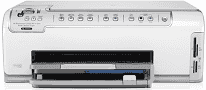
The HP Photosmart C6250 is one of the best all-in-one printers. It performs functions like printing, scanning, and copying documents. This printer is compatible with Windows as well as Mac operating systems, such as Windows XP Home, Mac 10.12, Mac OS X 10.11, etc. It is very compact, and you can easily place this printer in a small area.
The HP Photosmart C6250 driver is compatible with various kinds of operating systems like Windows XP Home, Windows Pro, Windows 2000, Windows Vista. These Windows versions run on an Intel Pentium 2 processor with 128MB RAM. The best OS system version recommended for this driver is 10.3.8, and 10.4.x is OK with a G3 processor and 128 MB RAM.
HP Photosmart C6250 Drivers for Windows
4d5066b2f6e05ca32ce484a89dda9da7ef347c4d01c0c2756ce744a98b866a973251272b54b037b7fc11e8485bacad9d232be8afdf57fb6abc359c87174a8cdb77e83a08b7f2be6eb6e59a89140818c2dbff58ea8f2999fe9812a442b2353d0d2adbbee53e670a5add81e17e119882e93d8ddb36a89b0e117c7469dfedade19338fc9096425fe4240b41058fa180c4338b6cd4de30101e7586f1aa527faee5e1d2f18088da8df16f0017983756626431eeeeddb0e386dd19a223c89e5a6a9c4fce728403422ec1c590fb971561abec94e476484815326373058a39afd61bccc2HP Photosmart C6250 Drivers for macOS
0205059d568e141eead6f396640cba564e4ec207802dd974c2d2b39f03dee73302542e94b87a2d72a0bf9682b517b90d54f6e39944c791a26c4bf941e86a1c49HP Photosmart C6250 cartridges
HP02 Black Ink Cartridge (~660 pages), HP 02 Cyan Ink Cartridge (~400 pages), HP 02 Magenta Ink Cartridge (~370 pages), HP 02 Yellow Ink Cartridge (~500 pages), HP 02 Light Magenta Ink Cartridge (~230 pages), HP 02 Light Cyan Ink Cartridge (~220 pages)
Features of HP Photosmart printer C6250:
1. This printer performs different types of functions like printing, scanning, and copying documents.
2. It also supports the different types of papers like plain paper, legal paper, cards, envelopes, transparency film, labels and photo paper.
3. In this printer, it has various types of paper capacity for input and output tray. It includes 1250 sheets of plain paper in the input tray and 50 sheets for output tray.
4. The capacity for legal paper sheets is up to 125 sheets in the input tray and 50 sheets in the output tray. And for cards and envelopes, the tray capacity is 40, 15 for the input tray and 25, 15 for the output tray.
5. The printing speed of this printer is also good with the best resolution of 1200×1200 dots per inch for black print. And 4800×1200 for color prints.
6. It also supports the various types of paper sizes such as A4, A5, B5, letter, legal, and executive.
7. The copying speed of this printer depends on the document or model, and the maximum enlargement for copying is 200-400%.
Technical Details
| Title | HP Photosmart C6250 Drivers |
|---|---|
| Device Type | All-in-one printer |
| Driver Version | Varies by driver and operating system |
| Available Downloads | Drivers |
| License | Free |
| Manufacturer | HP Inc. |