
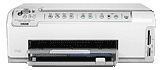
If you need a lightweight and environment-friendly printer, then HP Photosmart C6270 is the one for you. This device has a sleek and compact design which is fit for all housing and official needs.
HP Photosmart C6270 Drivers for Windows
4d5066b2f6e05ca32ce484a89dda9da7ef347c4d01c0c2756ce744a98b866a973251272b54b037b7fc11e8485bacad9d232be8afdf57fb6abc359c87174a8cdb77e83a08b7f2be6eb6e59a89140818c2dbff58ea8f2999fe9812a442b2353d0d2adbbee53e670a5add81e17e119882e93d8ddb36a89b0e117c7469dfedade19338fc9096425fe4240b41058fa180c4338b6cd4de30101e7586f1aa527faee5e1d2f18088da8df16f0017983756626431eeeeddb0e386dd19a223c89e5a6a9c4fce728403422ec1c590fb971561abec94e476484815326373058a39afd61bccc2HP Photosmart C6270 Drivers for macOS
0205059d568e141eead6f396640cba564e4ec207802dd974c2d2b39f03dee73302542e94b87a2d72a0bf9682b517b90d54f6e39944c791a26c4bf941e86a1c49HP Photosmart C6270 Specifications
The environment specification of the printer specifies that it must be kept in ideal conditions. It can operate within the range of -40°C to 60°C. It is recommended that the printer be kept inside a zone where the temperature ranges from 15º to 32ºC and it will ensure that the device works smoothly and efficiently.
Along with this, the power consumption of the HP Photosmart C6270 printer is also correct. It only consumes 40W power on an average. The input voltage ranges from 90 to 264 VAC with 47-63 Hz frequency. As far as the input current is concerned, it only requires 1000mA maximum. The output voltage is slightly different as it is limited to +32V with a three-wire grounded switch.
The scanning can be done quickly with the inbuilt image editor. It has integrated OCR software which is capable of converting the scanned text into the editable form. With 4800 x 4800 optical dpi and 19200 enhanced dpi, it has a TWAIN-compliant interface. Thus, it makes scanning really easy.
This device can do panorama size printing on both rendered and optimized dpi. Its drop-on-demand thermal inkjet technology combined with PCL3 GUI language is quite remarkable. The device has a duty cycle of 3000 pages per month. And as for the copying specification, the printer can be used to make at most 9 copies of an original document. However, the copying and printing speeds vary with the complexity of the document. The printer has extensive paper type support including plain paper, legal paper, envelopes, etc. It inevitably comes in handy when you need to make a few copies of essential documents.
Technical Details
| Title | HP Photosmart C6270 Drivers |
|---|---|
| Device Type | All-in-one printer |
| Driver Version | Varies by driver and operating system |
| Available Downloads | Drivers |
| License | Free |
| Manufacturer | HP Inc. |