
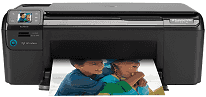
If you are searching for a wireless printer which performs three functions simultaneously, then HP Photosmart C4780 is the one. It can easily connect with any wireless network, and can also print the documents from your PC or Tablets and Mobile. If you ready to print the document, then you don’t need to turn on the computer. In this printer, it has the inbuilt card readers, so this printer can quickly perform the print function directly from a variety of cards.
HP Photosmart C4780 Drivers for Windows
14ce0f965f48e65db9bda7e8ac50c55bd7331c3733f1bb8494cdbae8f2087533fcd241530dfb5ada1065457336c06b896aa2e408d16e434e8ef37a3f2cb65b35f536aafa58d31dbd869819b50f9a838cb0b8160208ea5399fdc3a1ade66cf6a1d2f18088da8df16f0017983756626431eeeeddb0e386dd19a223c89e5a6a9c4fce728403422ec1c590fb971561abec94e476484815326373058a39afd61bccc2HP Photosmart C4780 Drivers for macOS
59571eff52e787d140e04640f40e45505bafe778a0ec5f04663e8f10dcb23669168b66794780de16215b5a0de57620dbac7b22589f7f27ca13b0b941ee66081bHP Photosmart C4780 cartridges
HP 60 Black Ink Cartridge (~200 pages ), HP 60 Tri-color Ink Cartridge (~165 pages )
Minimum system requirements for HP Photosmart C4780 driver:
I. Operating system: Windows XP, Windows Vista, Mac OS X v10.10, 10.3, 10.4, 10.5, 10.6, 10.7, 10.8, 10.9
II. Processor: Intel Pentium 2, 800 MHz 32-bit
III. RAM: 512 MB, 128 MB
HP Photosmart C4780 driver Latest operating system:
• Mac OS X v10.13 High Sierra.
• Windows 10, 8, 8.1
Specifications of HP printer Photosmart C4780:
1. The resolution is about 1200×1200 dpi (dots per inch) for black document, and 4800×1200 dpi (dots per inch) for color documents.
2. It has the 3000 pages of the monthly duty cycle, and it uses the PCL3 GUI printing language for printing.
3. HP Photosmart C4780 handles the wide range of media types including Hagaki Cards, labels, Envelopes, and Transparency films, etc.
4. The tray capacity is about 80 sheets of plain paper and legal paper or 30 index cards.
5. The speed of HP Photosmart C4780 varied according to the complexity of documents.
6. HP Photosmart C4780 scanning resolution is about 1200×2400 dpi optical and 19200 dpi enhance (software).
7. The maximum enlargement of the document is around 200-400% which usually depends on the model.
8. The Minimum reduction of the document is around 25-50% it also depends according to the model.
Features of HP Photosmart printer C4780:
1. Wireless printing.
2. Twain-compliant interface.
3. High-speed printing.
Technical Details
| Title | HP Photosmart C4780 Drivers |
|---|---|
| Device Type | All-in-one printer |
| Driver Version | Varies by driver and operating system |
| Available Downloads | Drivers |
| License | Free |
| Manufacturer | HP Inc. |