
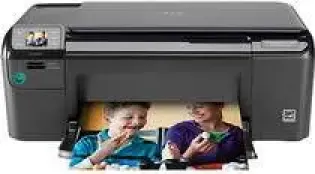
HP Photosmart C4635 Drivers for Windows
57ba8d2cbba5ef7a5c400da5693164b1618d41dba05ef680fe828bf38cf10f9d0497f70092e11c157b154bfd6034e23b65c5eca334de705f960a31bc626db8ef800d7acc9969873b6ec1ea9c34d053508955935e7e0f80e48fe1b5211cd4ce4fHP Photosmart C4635 Drivers for macOS
d43ccfed0424c5b157daad5bc6335c41442393228bd41170db217c50232a8044HP Printer Photosmart C4635 Description
The printer model belongs to a family of all-in-one Photosmart printers that also includes the C4600 and C4700 printer series. The HP C4635 has a part number Q8412A.
Cartridges
The applicable cartridges depend on the region where the particular printer model is in use. These groupings include
1. China and India – HP 818
2. Africa, CIS, Japan and the Middle East – HP 121
3. Americas and the Asia Pacific – HP 60
4. Western Europe – HP 300
Printer features
1. The printer has physical dimensions of 6.6 x 17.1 x 22.3 inches (HWD) with a weight of 11 pounds.
2. The input tray holds 80 sheets of plain paper with a weight not more than 20 lbs.
3. The supported media types that apply to this printer model includes envelopes, transparencies, photo paper, index cards, etc.
4. The printer is an all-in-one device with the ability to not only print but also scan and copy documents from the original.
5. Printing resolution of this device is up to 1200 x 1200 dpi in black and 4800 x 1200 optimized dpi in colored. however, the colored output must be from a computer with 1200 input dpi.
6. The printing method applicable to this printer is the HP drop-on-demand thermal inkjet technology.
7. The monthly duty cycle of this device is 3000 pages. However, note the recommended capacity of this printer is far lesser, to keep it in better shape and efficiency.
Technical Details
| Title | HP Photosmart C4635 Drivers |
|---|---|
| Device Type | All-in-one printer |
| Driver Version | Varies by driver and operating system |
| Available Downloads | Drivers |
| License | Free |