
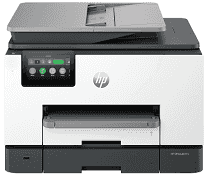
The HP OfficeJet Pro 9135 Driver links the computer with this all-in-one printer so its print, scan, copy, and fax functions are recognized correctly. The software also carries job instructions to the printer over a USB or network connection. Scanning depends on that communication too, since the computer needs the correct device interface before it can receive pages from the scanner. A proper installation prevents the machine from appearing as a basic printer when its other functions are needed.
HP OfficeJet Pro 9135 Drivers for Windows
92b1925cadabde54a4e78766b8a6c7e759846e44261f1ff8c039ccea5f663421620068045902345004931235f980d18321eb73b2b9e83672a905b17b6e82367733a48d17157441a5f626bf8b2b5f85c04c1a524bacff1c548f899ad90978765ec11fe40d2b794ffeb0c9f87b6f22efe7b178646c583b58276f0dc4b24872778aa211b51894cab560a391827659181bc2316121c7f452e20acada50473e42a79f3c6881a3b77ba0e7042f41e647f27001481724678f084959e9f78d3958ab895e83d239d64aa753b224ac1a5c229527fba7a264eb3653fb95af54a387b27b3b1bHP OfficeJet Pro 9135 Specifications
The HP OfficeJet Pro 9135 is a color thermal inkjet for printing, copying, scanning, and faxing. Ink comes from four separate cartridges for black, cyan, magenta, and yellow, with HP 936 cartridges specified for replacement. The control panel carries a 4.3-inch color touchscreen. Inside, the machine has 512 MB of memory and a 1.2 GHz processor.
Standard office printing reaches 25 ppm in black and 20 ppm in color. Draft output can rise to 39 ppm, whether the page is black or color. From ready mode, a black first page takes about 10 seconds; color needs about a second longer. Black print quality tops out at 1200 x 1200 rendered dpi. For color, HP lists up to 4800 x 1200 optimized dpi when suitable Advanced Photo Paper is used.
Scanning relies on both the flatbed and a 35-sheet automatic document feeder. The feeder reads both sides of a sheet in a single pass, which avoids turning two-sided originals by hand. Optical scan resolution reaches 1200 x 1200 dpi. The glass takes originals up to 215.9 x 297 mm, while longer pages up to 355.6 mm can pass through the ADF. Copy settings permit as many as 99 copies and enlargement or reduction from 25% to 400%.
Paper loading is split between a 250-sheet main tray and another 250-sheet multipurpose tray. Tray 1 can take photo sheets, brochure stock, cards, and envelopes; the second tray is intended for plain paper. Printed pages collect in a 100-sheet output area, so its capacity is lower than the combined input capacity. A nearby computer can use the Hi-Speed USB connection, and Ethernet is present for a wired network. Wireless jobs can use dual-band Wi-Fi or Wi-Fi Direct. Separate USB host and RJ-11 fax ports are also fitted, and the printer weighs about 11.84 kg.
Technical Details
| Title | HP OfficeJet Pro 9135 Drivers |
|---|---|
| Device Type | All-in-one printer |
| Driver Version | Varies by driver and operating system |
| Available Downloads | Drivers |
| License | Free |
| Manufacturer | HP Inc. |