
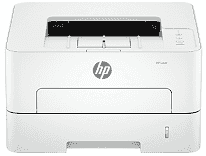
HP Laser 303d Driver helps a computer communicate correctly with this print-only laser printer during setup and everyday printing. After installation, the system can recognize the USB-connected printer and pass print jobs to the right device. That wired setup keeps the printer tied to one nearby computer unless the operating system shares it another way. For two-sided documents, duplex control comes from compatible print settings rather than scanning or copying hardware.
HP Laser 303d Drivers for Windows
f19a5cf705946015d250e671cb5827ec669823374d7dc7bd59ccc77b7848ff5f83802497559a84f7737a7dd9e6a27835a570d9a763b162c531248916d6cc8dfddce249685acd4ea8d95d75aaaff02f31d6ccc846d6455ee5c0beb00ecefe8455HP Laser 303d Drivers for Linux
ec4633100480e28c1a247ccbf6945a53ff4a9b25c4e84815ca69b4ec6bd95489HP Laser 303d Specifications
HP Laser 303d is a print-only monochrome laser unit, so scanning, copying, and faxing are not built into the machine. Pages come from a black toner cartridge working with a separate imaging drum. A 600 MHz processor sits behind the print engine rather than any multifunction control system. On the front, the panel uses buttons and status lights; there is no touchscreen or text display to guide menu-based jobs.
A4 printing reaches up to 30 pages per minute, and the first black page can come out in as fast as 8.5 seconds from ready mode. Two-sided printing does not need manual page flipping because automatic duplex output is built in. In duplex mode, HP lists A4 speed at up to 15 images per minute. Best quality rises to 1,200 x 1,200 dpi, with 600 x 600 dpi used for standard output. Printer languages include PCL6 and GDI, along with PCLm, PWG, and URF for compatible print paths.
Paper loading starts with a 250-sheet cassette. A single-sheet multipurpose tray sits there for envelopes, labels, or one-off media that should not be mixed with the main stack. Common office sizes include A4, A5, A5 long-edge, B5 JIS, and oficio. DL and C5 envelopes also feed through the same paper path. The 60 to 220 gsm range covers lighter office paper as well as heavier stock, though custom-size limits depend on the tray being used.
A computer connects by Hi-Speed USB compatible with USB 2.0. This USB-only version does not carry Wi-Fi or Ethernet hardware, so network printing belongs to other variants in the range. Printed pages land in a 100-sheet output tray, with HP listing maximum output up to 120 sheets. With the covers closed, the body measures 368 x 334.5 x 202 mm. Open for use, it takes up more desk space at 458 x 449 x 315 mm and weighs 7.4 kg.
Technical Details
| Title | HP Laser 303d Drivers |
|---|---|
| Device Type | Printer |
| Driver Version | Varies by driver and operating system |
| Available Downloads | Drivers |
| License | Free |
| Manufacturer | HP Inc. |