
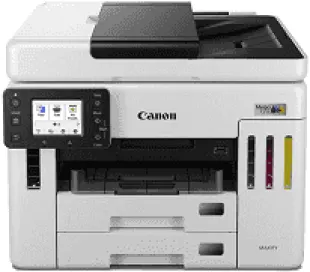
The Canon MegaTank GX7120X Driver lets your computer send print jobs in a form the printer can understand. During setup, the operating system uses it to recognize the printer and establish a connection. It also passes paper and print-quality settings to the printer, helping each job come out as selected. A driver matched to your operating system reduces the chance of connection errors or interrupted printing.
Canon MegaTank GX7120X Drivers for Windows
4b85be83d345d9de242c887af731ef5d8ce850c3c2e520ef05709250c8739650af08860078d9dfd4ab88280d63890955cf9b798d8812c0bf08649058d2632be2Canon MegaTank GX7120X Drivers for macOS
8e072643503e0e86e5fa046b4bcf622fa33dfb7c701b030989e6616b16593bfaa2a12e31313283450b6d22a2ffa56a79b8a9fcb935398ef221ff430c551796fdCanon MegaTank GX7120X Specifications
The Canon MegaTank GX7120X prints with four pigment inks fed from built-in tanks to Canon FINE printheads. Each tank takes a GI-26 bottle, and its ink level can be seen through a front window. Scanning, copying, and faxing are controlled from the 2.7-inch color touchscreen on the front panel. The PH-20 printhead and MC-G01 maintenance cartridge are replaceable, rather than being permanent parts of the machine.
For letter-size documents, black printing reaches about 24 images per minute, compared with 15.5 in color. Resolution tops out at 600 × 1200 dpi. Automatic duplex printing turns the sheet for its second side, without manual reinsertion. The CIS scanner reads at 1200 × 1200 dpi optical resolution, and the feeder scans both sides in one pass. Copy jobs can be scaled from 25% to 400%, with a limit of 99 copies.
Two front cassettes each hold 250 sheets of plain paper, leaving the rear feed for other stock. That tray takes 100 plain sheets, or 20 sheets of 4 × 6-inch photo paper. Envelopes and heavier sheets also go in from the rear. The automatic document feeder holds 50 letter-size originals, but its capacity falls to 10 for legal pages. Custom sheets can extend to 47 inches in length.
For a nearby computer, the GX7120X has a Hi-Speed USB connection. Ethernet serves a wired network, and Wi-Fi can use either the 2.4 GHz or 5 GHz band. Wireless Direct lets a compatible device connect without a router. The built-in USB reader prints JPEG, TIFF, and PDF files from a flash drive. Canon PRINT, AirPrint, and Mopria can send mobile jobs. Closed, the printer measures 15.8 × 16.2 × 12.4 inches.
Technical Details
| Title | Canon MegaTank GX7120X Drivers |
|---|---|
| Device Type | All-in-one printer |
| Driver Version | Varies by driver and operating system |
| Available Downloads | Drivers |
| License | Free |
| Manufacturer | Canon Inc. |