
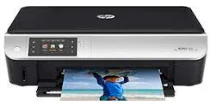
HP ENVY 5531 is an electronic all-in-one printer. The printer connects with either the USB connectivity, the wireless network or direct wireless connection. There is no Ethernet connection though. The physical dimensions include 125 x 443 x 336 mm (HWD), and the printer weighs 12.27 lbs.
The printer has a mobile function, compatible with Apple AirPrint and HP ePrint. These are apps that serve the purpose of connecting smart devices such as BlackBerry, tablets, iPhones and others using the Wi-Fi connection. The web services are compatible with this printer.
The printer works with a drop-on-demand Thermal Inkjet Technology with a PCL3 GUI language.
HP ENVY 5531 Drivers for Windows
a44eea129683f7dd5e798f9da265af958a4a79539ebfc4706b662a447dfebd9bcf396faa9d9f1718f54761e3e1c8013eb08368ac36cf528b090031f2e9498d47772abb50008fb7dc49cd4fdfb51a355248947f5b0881013da3481ac178293343d2f18088da8df16f0017983756626431eeeeddb0e386dd19a223c89e5a6a9c4fce728403422ec1c590fb971561abec94e476484815326373058a39afd61bccc2HP ENVY 5531 Drivers for macOS
99e1d18847c64a405486ae34424f0a1c8d89920d17df86c45b6b0007f101d70a316905d6bc9c8b21d5a2d4d88dfb01d8ed6ebcc748b95a66e378844c0e8e2f3fHP ENVY 5531 e-All-in-One cartridges
HP61 Black Ink Cartridge (~190 pages), HP 61 Tri-color Ink Cartridge (~165 pages)
System Requirements
Windows
The requirements for the system that will work well with this printer include diverse Operating Systems. These include Windows XP Service Pack 3, Windows Vista, Windows 7, Windows 8 and Windows 10. Windows XP requires an Intel Pentium II or Celeron processor at a speed of 233 MHz. The recommended processor, however, is an Intel Pentium III or higher processor. Windows Vista requires an 800 MHz 32-bit or 64-bit processor; the recommended processor is 1 GHz (32-bit or 64-bit). However, for Windows 7, 8 and 10, the system should have at least a 1 GHz 32-bit or 64-bit processor.
For RAM, the recommended system requirement for Windows 7, 8 and 10 is 2 GB (32-bit or 64-bit). For Windows Vista, however, the recommended RAM is 1 GB but 512 MB for Windows XP service pack III. The minimum free disk space on your PC must be 750 MB for Windows Vista and XP but 2 GB at least for the others.
Macintosh requirements
Mac OS X v10.6 Snow Leopard
OS X v10.9 Mavericks
OS X v10.7 Lion
Mac OS X v10.8 Mountain Lion
OS X v10.10 Yosemite
OS X v10.11 El Capitan
Supported Browsers
All the Windows operating systems support Microsoft Internet Explorer 7.0 and above, Google Chrome 3.0 and Mozilla Firefox 2.0 or later. Other applications supported include Adobe Flash Player 10 or later, and Adobe Acrobat Reader 5.0 and above.
Paper Handling Specifications
Different paper sizes compatible with the printer include plain paper, Index cards, Envelopes, Photo paper, Transparencies, etc. The input tray takes up to 100 sheets of plain paper. Whereas, the output tray has a capacity of 30 sheets of plain paper. The supported paper sizes include US Letter, Legal, A4, A5, A6, Ofuku hagaki, Executive, Cabinet, B5, and B6.
Print Speed
The speed of the HP ENVY 5531 is dependent on the complexity of the document and the specification of the PC and the compatibility with the printer.
Print Resolution
The normal mode is at 600 x 300 dpi in an automatic output. The best mode for plain paper and photo paper printing is 600 x 600 dpi. The maximum dpi mode for production for both black and color print is 4800 x 1200 dpi.
Technical Details
| Title | HP ENVY 5531 Drivers |
|---|---|
| Device Type | All-in-one printer |
| Driver Version | Varies by driver and operating system |
| Available Downloads | Drivers |
| License | Free |
| Manufacturer | HP Inc. |