
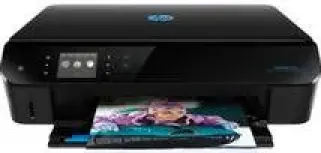
HP Envy 5536 is an all-in-one printer with the ability to print, copy and scan documents with finesse. The printer has a somewhat moderate size that is befitting many traditional uses. The physical dimensions include a height of 4.87 in, the width of 17.44 in and a weight of 12.27 lbs. The depth of the printer is 13.25 in (with a closed paper door) and 14.5 in when the paper doors are open.
The printer has some connectivity options which include the standard hi-speed USB 2.0 port, wireless connection, and the direct wireless connection. These options do not include the Ethernet LAN connection. Apart from these, the mobile printing solutions with this device make it spectacular. For instance, it is compatible with Apple AirPrint and HP ePrint.
HP ENVY 5536 Drivers for Windows
a44eea129683f7dd5e798f9da265af958a4a79539ebfc4706b662a447dfebd9bcf396faa9d9f1718f54761e3e1c8013eb08368ac36cf528b090031f2e9498d47772abb50008fb7dc49cd4fdfb51a355248947f5b0881013da3481ac178293343d2f18088da8df16f0017983756626431eeeeddb0e386dd19a223c89e5a6a9c4fce728403422ec1c590fb971561abec94e476484815326373058a39afd61bccc2HP ENVY 5536 Drivers for macOS
8f24fa0f77e76f4013f26fd7fb8b50a43bcee1cf14873746a0f571d0222a0db2316905d6bc9c8b21d5a2d4d88dfb01d8ed6ebcc748b95a66e378844c0e8e2f3fHP ENVY 5536 Specifications
The manufacturer advises that only compatible cartridges should be used in this device, especially when replacing old supplies with new ones. The good supplies are available from HP stores and other reputable outlets worldwide. There are two categories of cartridges in this machine, the black cartridge and the tri-color cartridge for cyan, yellow and magenta.
The kinds of the cartridge also depend on the region where the printer is in use. For example, in Western Europe, the compatible cartridge is the HP 301 black and tri-color cartridges. The Middle East, Japan, Latin America, Africa, and the CIS, HP 122 black and tri-color cartridges are compatible. For China, India, and Indonesia, the HP 802 black and tri-color cartridges work best. In North America and the Asia Pacific excluding India, China, Indonesia, and Japan, the compatible cartridges are HP 61 black and cartridges.
The print speed of this device is dependent on the model of the printer and the complexity of the document in process. The printing method used is the drop-on-demand thermal inkjet technology that is very economical to use. The print language, however, is PCL3 GUI.
Technical Details
| Title | HP ENVY 5536 Drivers |
|---|---|
| Device Type | All-in-one printer |
| Driver Version | Varies by driver and operating system |
| Available Downloads | Drivers |
| License | Free |
| Manufacturer | HP Inc. |