
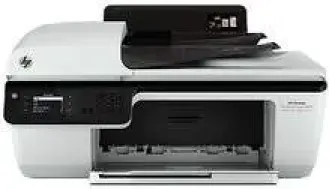
If you are seeking an all-in-one printer that can print, scan, fax and copy, then HP Deskjet Ink Advantage 2646 is the right choice for you. This printer can be used either for personal or commercial use, and it is best suited for use in small offices.
HP Deskjet Ink Advantage 2646 Drivers for Windows
2301b45b87ef3ce3b4b999f2a1f426f4dc2554083f73e5968adb487544cb294d7aafacf06cdc96afecd8e0efaef8685b3184038499bf17f8759b3f1bc09947cdd09a673aee2ad01696d4c225ec39d8172651940ad2501a6537ba7bf074784fa9HP Deskjet Ink Advantage 2646 Drivers for macOS
8f24fa0f77e76f4013f26fd7fb8b50a43bcee1cf14873746a0f571d0222a0db2466252757c12dc5bb29d187827281122fcc64d2eebe7d54a1f095ff153f1822cHP Deskjet Ink Advantage 2646 Specifications
The print technology of the printer is drop-on-demand thermal inkjet, and the printing languages of the device are PCL3 GUI and PCL3 enhanced. And the print speed of the device to print documents varies, and it depends on the document complexity. It uses a digital image processing method to copy high-quality documents with ease.
In draft mode, the print resolution of the device stands at 300X300 dpi of Color Input/Black Render, and in normal mode, it is 600×300 dpi. In both plain-best and photo-best modes, the print resolution of the device is up to 600X600 dpi of Color Input/Black Render.
The printer scan resolution is up to 1200X1200 dpi, and the maximum scan size from the glass is up to 21.6X29.7 cm. With this device, you can send and receive black and white faxes or also color faxes. It supports a maximum of 99 speed dials.
It can consume a maximum power of 8 watts and the requirement for input voltage is 100 – 240 VAC at 50 to 60 Hz. This printer comes with both an input and an output tray. And the input tray supports a wide range of paper types, such as paper, transparencies, photo paper, envelopes, and cards. On the other hand, the output tray supports paper, photo paper, and envelopes only.
With HP Deskjet Ink Advantage 2646, you can print documents of various paper sizes. The printer input tray can handle up to 60 sheets of plain paper, and its output tray capacity is up to 25 sheets of plain paper.
Technical Details
| Title | HP Deskjet Ink Advantage 2646 Drivers |
|---|---|
| Device Type | All-in-one printer |
| Driver Version | Varies by driver and operating system |
| Available Downloads | Drivers |
| License | Free |
| Manufacturer | HP Inc. |