
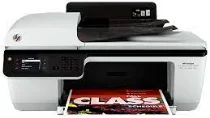
Are you looking for an all-in-one top-rated printer? HP Deskjet Ink advantage 2645 is the right product for you. The printer offers not only printing but also scanning, faxing, and copying. This printer produces a color print speed of up to 4 ppm on an A4 paper and up to 7 ppm on an A4 paper as well. It enables you to print more, spends less, and saves more time and cost. The quality prints that the printer offers are second to none. You can download the HP Deskjet Ink Advantage 2645 driver files using the links given below.
HP Deskjet Ink Advantage 2645 Drivers for Windows
2301b45b87ef3ce3b4b999f2a1f426f4dc2554083f73e5968adb487544cb294d7aafacf06cdc96afecd8e0efaef8685b3184038499bf17f8759b3f1bc09947cdd09a673aee2ad01696d4c225ec39d8172651940ad2501a6537ba7bf074784fa9HP Deskjet Ink Advantage 2645 Drivers for macOS
99e1d18847c64a405486ae34424f0a1c8d89920d17df86c45b6b0007f101d70a466252757c12dc5bb29d187827281122fcc64d2eebe7d54a1f095ff153f1822chp Deskjet ink advantage 2645 cartridges
HP678 Black Ink Cartridge (480 pages), HP 678 Tri-color Ink Cartridge (150 pages)
Please select the correct driver that is compatible with your operating system.
Specifications
Regarding power consumption, the printer has an ENERGY-STAR quality approval. It takes an input voltage between 100 and 240 VAC external power supply at a frequency between 50 and 60Hz to become active. The maximum power consumption is 8 watts, 1.2 watts when on sleep and 0.2 watts when off or on standby. The Hi-speed USB 2.0 connecting port is also enabled for continuous printing and can continue to print up to approximately 25 sheets of black and white printouts. The yield, however, will depend on the depth of contents on the pages.
The printer uses low-cost original HP ink cartridges. The black ink cartridge can produce up to about 480 pages. The tri-color ink cartridge can make up to about 150 pages. The printer is easy to operate as it has a 2.0″ high-resolution Mono LCD screen. The cartridges are designed for ink in Deskjet as the colored ink is dye-based while the black ink is pigment-based. HP Deskjet Ink Advantage 2645 printer can, therefore, produce all four colors of black, cyan, magenta and yellow with top-notch quality. It supports virtually all paper sizes, ranging from legal, envelopes, letter, A4, cards, to photo-papers and labels.
The printer has a monthly duty cycle of up to 1000 A4 sheets.
Scans can be saved in up to five different formats including pdf, bmp, png, tif, and jpg. Color scanning is also enabled. You can feed up to 35 standard sheets. The resolution of the scanned pages can be produced up to 1200 x 1200 dpi with an enhanced scanning resolution of even up to 19,200 dpi.
Technical Details
| Title | HP Deskjet Ink Advantage 2645 Drivers |
|---|---|
| Device Type | All-in-one printer |
| Driver Version | Varies by driver and operating system |
| Available Downloads | Drivers |
| License | Free |
| Manufacturer | HP Inc. |