
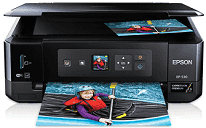
The Epson XP-530 Driver allows the communication process between the computer and the printer by making the setup process smooth and efficient. It can be used on the operating systems that are supported and will help in the handling of USB or wireless connections. It makes sure that there are efficient printing and scanning processes. It also ensures proper configuration of the printer.
Epson XP-530 Drivers for Windows
5672676658daee156ba9e2dfb62688145ee486aef282b9712a79e146173761887587f990cee2ff9386f1eb5d1318c8759398933ad3687eff93754aff7db962fbdba3830ba1e6d495100dfd62413d7f74500faa19241f54a1e40ae3266357e9987a1de2f276fb806e65d78b770036564ddf511f05c3f851113649121948865300180a81d0e184fc245546e5f7fc39027736594f04299a08ce50977b13f84b64fe6e5d23c64b3340a3885a44e0f76f2f847b6127f921b153afabf0c72b976e8fd6Epson XP-530 Drivers for macOS
6df1899f1f584fe60cea1d987d22cdd2cd92dbef71a4c9a516a0a3d4d71a970b6a66e1403bafc3775ef22fff6d7911b4acefb7c99bc6469e7278add329c5b03de8104eee2320f0ea8251bcfb80f91c20011d96dc1efa308b59d1f71c1ba593843dee4cd767cb069e2dbe84397f91aebd12061a2181f517a59a28efa52ed0b1e2319026e445ea179b27455527a34f991c0727f85cca0ee32f76c6d5a4406a2a82Specifications of Epson XP-530
The Epson XP-530 is an inkjet printer that also functions as a scanner and copier. It uses Epson Micro Piezo print head technology with Claria Premium individual ink cartridges. The device uses a five-color ink set that includes photo black. Maximum resolution equals 5760 x 1440 optimized dpi and is ideal for images and documents.
Speed of printing can be up to 9.5 ISO ppm in black and white and 9.0 ISO ppm in color. Photo printing is the most frequent everyday usage that involves the creation of a 4 x 6-inch borderless photograph in about 20 seconds. Two-sided automatic printing is also included to decrease the usage of paper when printing documents.
XP-530 has paper handling capabilities that include a front paper cassette for plain and photo media. Supported media types are A4, Letter, Legal, envelopes, various sizes of photos, and borderless photos. Also, it has rear specialty media input and direct printing capability onto inkjet-printable CDs/DVDs.
Epson XP-530 has the following connectivity options: Hi-Speed USB, Wi-Fi, and Wi-Fi Direct. Home network setup can be done through Epson Connect and other network printing applications. There is an LCD monitor that is used to set up the printer and to perform photography tasks. The total measurements of the machine are 390 x 341 x 138 mm, while its weight is 6.2 kg.
Technical Details
| Title | Epson XP-530 Drivers |
|---|---|
| Device Type | All-in-one printer |
| Driver Version | Varies by driver and operating system |
| Available Downloads | Drivers |
| License | Free |
| Manufacturer | Seiko Epson Corporation |