
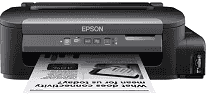
The Epson WorkForce M105 driver guarantees accurate and reliable printouts for general business papers. Upgraded drivers ensure system stability and drastically cut down on sudden printing problems. Installing the new Epson WorkForce M105 driver is simple and requires only a few steps. It ensures wide compatibility across new versions of Windows and Mac operating systems.
Epson WorkForce M105 Drivers for Windows
2a7d42388263a4aa4d4a86684ece0574f6f4cc89284da7b8b1f63a3716f5f1fd0b8a35147b07baa6aef7f45697e7ebd197670979f362c413e9ca9b783cbdc1b73cc1c313adfab74f957e2af63ff2fa87279169e3a043365eb0af6024d420663be01c3426f7c2f2d4620bbb250edaf843ccfaa67641c9c75c9fe03b2747cb97fdEpson WorkForce M105 Drivers for macOS
d1ff408effb8de350a28612e6c0db2985d7660c0cda25dcc66e70aba24b69e12Specifications of Epson WorkForce M105
Epson WorkForce M105 is an excellent choice for office environments that require functional printing. The printer uses a Micro Piezo print head and pigment black ink technology. With each ink bottle, one can print up to 6,000 clear black pages. The recommended monthly duty cycle allows for comfortably accommodating a moderate business workload, since with this printer, users will be able to print from 5,000 to 8,000 pages per month efficiently.
The speed of draft printing is up to 34 monochrome pages per minute. ISO printing speed is up to 15 black-and-white pages per minute. The printer produces documents at a quality of 1440 x 720 dpi. The time required for the first page production is 6.5 seconds. Duplex printing is manual and reduces the usage of paper on routine jobs, helping with throughput.
Among the paper handling capabilities of the M105 are media size support (even legal papers), as well as envelope usage for invoices, statements, correspondence, and other types of jobs. The standard input tray supports up to 100 sheets of paper, providing fast paper loading, which is useful in minimizing any delays in the work process. The output tray supports up to 30 printed sheets. This is very useful for a home office or small businesses.
Among available connectivity options are Wi-Fi Direct, wireless networking, and Hi-Speed USB 2.0. Using this printer, one can print remotely via the Epson iPrint mobile application. The supported operating systems are Windows, Mac OS, and Linux. Small dimensions save space, and the lightweight design allows for easy movement. Power usage is only 13 watts when the printer operates.
Technical Details
| Title | Epson WorkForce M105 Drivers |
|---|---|
| Device Type | Printer |
| Driver Version | Varies by driver and operating system |
| Available Downloads | Drivers |
| License | Free |
| Manufacturer | Seiko Epson Corporation |