
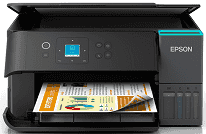
With the Epson EcoTank ET-2950 driver, printing of documents is done efficiently and accurately, with high-quality color images. The updates on the driver increase the stability of the system since there is minimal interference in communication between the printer and computer. Installing the right driver takes just a couple of minutes and makes all printer functions available. The driver guarantees that the printer can operate well with the latest versions of both Windows and Mac operating systems.
Epson EcoTank ET-2950 Drivers for Windows
57fcb9ea47c9e52eee39b41cb6538e18a1dad3bb6db87b3a516f3258ae0f99abcb26f52aa72693332e7f354c022b327f0ab0de737b607bbdaf986a27d4811c39727ffa604e8890852dd64be97d5055a782885f0be7d3cbac402761301b78dd7ca10a48378db6e33b5e4923ad91375765c0d9791bbbf0cba0cafee9d497261bb9Epson EcoTank ET-2950 Drivers for macOS
51b9f261f7c15bb353d92b1d8143bdf4eb23f588cee58389759ca1c7f9485f135ff2dc93d27cbe31873055589c7c7eff55e3dbdab79dd78e6ef0e56e55bf1817Specifications for Epson EcoTank ET-2950
Epson EcoTank ET-2950 allows printing, scanning, and copying documents and images. Its PrecisionCore print head uses black pigment and color dye inks to print high-quality documents and images. The maximum printing resolution of Epson EcoTank ET-2950 is 4800 × 1200 DPI. This printer provides ISO print speeds up to 15 ppm in black and up to 8 ppm in color. Maximum print speeds are up to 33 ppm in black and up to 20 ppm in color.
Automatic duplex printing saves paper and increases productivity during printing tasks. It provides automatic two-sided printing of A4 papers without manually flipping pages. The built-in scanner scans papers at a maximum resolution of 1200 × 2400 DPI. Copying functions allow reliable performance of business documents, homework, and household paperwork. Thus, these features are helpful for people who need efficient daily document management.
The standard paper tray has a 100-sheet capacity to handle all usual printing tasks. Options for connection include USB, Wi-Fi, Wi-Fi Direct, Apple AirPrint, and Mopria to connect various devices. It is possible to print from a computer, smartphone, or tablet wirelessly. The 3.7 cm (1.4-inch) color LCD panel allows easy control over settings and maintenance functions. Thus, such features make the usage of Epson EcoTank ET-2950 easier for its users.
Epson EcoTank ET-2950 has dimensions of 375 × 347 × 187 mm that allow installing and using this printer on a desk and in small places. With its weight of 5.2 kg, this printer is easy to install and move in case there is a need to change the layout of workspaces. The provided ink bottles will be enough for approximately 6,600 black pages and 5,500 color pages.
Technical Details
| Title | Epson EcoTank ET-2950 Drivers |
|---|---|
| Device Type | All-in-one printer |
| Driver Version | Varies by driver and operating system |
| Available Downloads | Drivers |
| License | Free |
| Manufacturer | Seiko Epson Corporation |