
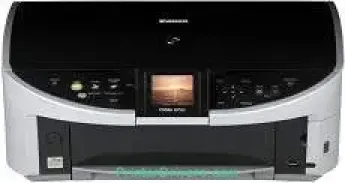
The Canon PIXMA MP500 model also has the unique qualities that make it stand out among the PIXMA printer series. Some of its compatible
cartridge types include the following:
– PGI-5 Pigment Black
– CLI-8K Black
– CLI-8C Cyan
– CLI-8M Magenta
– CLI-8Y Yellow
These cartridges also produce a minimum ink droplet size that includes 1 and 5 picolitres (pl). The options include letter, legal, credit card sizes, photo paper size, and the US envelopes in terms of the compatible media paper sizes. The machine has an auto sheet feeder that can hold up to 150 sheets of plain paper or 20 photo paper sheets. Besides, it has an extra cassette for up to 15 sheets of plain paper.
PIXMA MP500 driver Downloads for Microsoft Windows 32-bit – 64-bit and Macintosh Operating System.
Ink Cartridge Details: PGI-5 Pigment Black Ink Cartridge, CLI-8K Black Ink Cartridge, CLI-8Y Yellow Ink Cartridge, Magenta Ink Cartridge CLI-8M, CLI-8C Cyan Ink Cartridge
Canon PIXMA MP500 Drivers for Windows
5e145a513fda967afb217c03bc7c789005235c963c9149972ab8f3c28747440d20b0e53a396e38c20d46985b787470cb8a6df6aabc6a5f1e1219d49ba19b2adb337dc2fa208b9c2321d4551cd26312a518e43917cd0b2dd3d1938fe9985ad255040d0ac107f5916bc8aadeac6037ee4e93e4f3b24d93fb8cca61f632f0e710ab1607846bf8cfe4ea7a61c38d73584a5ea584e840b6f98edca2ab6da3548a056f78cae8e3f7dfd30713b16214302da521da7a5d1daff0332b4dc37c4ba3d8e7c1Canon PIXMA MP500 Drivers for macOS
756cc2011f24ee29b8fa887694ffd35e81c720ba8d977e6ed99960abe0c38cbcfacb2bfbab9282a7a0369cec299e0fc73e6a0f29670f08f7103fad81827b4e3cCanon PIXMA MP500 Specifications
The copying rate depends on whether the document is in black and white or color. For instance, copying black documents runs at a speed of 29 copies per minute (CPM), which is about 2.1 seconds per page. On the other hand, color documents copy at the rate of 19 CPM, which is about 3.2 seconds per page. It can also reduce or enlarge documents within the range of 25 to 400% with a 1% gradual increment.
Other features of the copying process include auto magnification, auto exposure (AE), and fading correction. The machine also supports duplex copying, fit-to-page, image repeat, and borderless copy for 4-on-1. However, scanning with the flatbed component uses the contact image sensor (CIS) at the optimum level. Simultaneously, the optical resolution of this printer model is up to 1200 x 2400 dpi. However, the interpolated resolution is up to 19200 x 19200 dpi.
The machine’s maximum page size is 8.5 x 11.7 inches while supporting a direct connection through a direct print port. However, this component does not include the cable.
Technical Details
| Title | Canon PIXMA MP500 Drivers |
|---|---|
| Device Type | All-in-one printer |
| Driver Version | Varies by driver and operating system |
| Available Downloads | Drivers |
| License | Free |
| Manufacturer | Canon Inc. |