
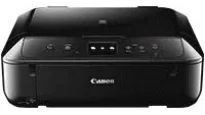
The Canon PIXMA MG6840 model can perform fantastic-quality functions including wireless printing, copying, scanning, and cloud link. It can also produce a maximum print resolution of up to 4800 x 1200 dots per inch (dpi) at the best performance. Concerning the print technology, this machine has five individual ink tanks with varying color compatibility. The colors include pigment black, black, yellow, cyan, and magenta colors for ChromaLife100 inks.
PIXMA MG6840 driver Downloads for Microsoft Windows 32-bit – 64-bit and Macintosh Operating System.
Canon PIXMA MG6840 Drivers for Windows
e1804dd432a1030aeecd37f085f231e2e9ff7c753043f40a978dcfb63872834e18eec4eeaf7611a16a55a229132d51cbab7fd26a9fe218333f77485fd60fc0e972fec323999d280a3a606a4ec8bd4f7c069c31dd88a9826915dbbe6b8d50c78a8dd427942e8e31c574841b714286f9171dafe7b49dd781ec9b62ff0cc61cf1a415e26104a051d3f79061242bb8114e3d81f35bbe709d14bb07a6284eb01471d0Canon PIXMA MG6840 Drivers for macOS
e05380b286528fa830baf4fcb6ef2d517cbf4642e6bd3b7c141bf16c867df1ee1c51699628b8191f5a7707202b99e43cef0a24574339ecdf0af8a91e0f187dfb3e239ef26f1ddcdb36e3f16285998a1e379c51301a3ee8525cf77f0f5b494a17d3fa3dd2ca88c0a3ed77c4e6e3365b39fe4b2a1d6c4ba60ffb93100ea38aa408511df8199951cd3d48d92469449ac548989fe9c193a242788e3d2a509047e624Canon PIXMA MG6840 Drivers for Linux
bec7bb37ce410ea1418a52526f9f7c0e0626979819ce6f7992ef245b37da7dd3df5992a5983f395c1da1be152a2e62128c95bf0e737c1123dc7f4674a0fea5582d7f00f020071a14df5861e1b8dd008d7c9a516fb9276d89954d505833ae728137cad11b1ed7b646b798e0de36585c192ff44849a818f88c0a3daebb4d879dad7bf0dd824d6a6ac44c8b5d53a0cb4b50f6aa398da50cdd7ace18cf0678eaac35e29c5c6ddbcbd2de4f90055023a3676b168703f6f3bf2901bca597522bde93f2Canon PIXMA MG6840 Specifications
Ink Cartridge Details
CLI-471 Magenta Ink Cartridge – Yield upt0 306 pages
Yellow CLI-471 Ink Cartridge – Approx 347 pages
Pigment Black PGI-470 Ink Cartridge – Upto 300 pages
CLI-471 Black Ink Cartridge – Yields approx 1795 pages
Ink Cartridge CLI-471 Cyan – Page yield 345 pages
Color printing with this Canon PIXMA MG6840 machine has a rate of 9.7 images per minute (ipm). On the other side, monochrome or black and white printing is up to 15.0 ipm approximately in the best mode. Also, borderless printing on 10 x 15 cm photo paper is up to 41 seconds. Besides, it supports automatic duplex print for A4 and letter sizes of plain paper. The compatible cartridge model types include the PGI-470PGBK for pigment black and CLI-471BK/C/M/Y for black, cyan, magenta, and yellow.
The compatible ink cartridge types also have optional XL versions, which have more print capacity. This Canon PIXMA MG6840 machine supports plain paper, high-resolution paper, photo paper pro platinum, and matte. The front tray can hold up to 100 sheets of plain paper as the maximum paper holding capacity. Other paper types include glossy photo paper, photo paper plus semi-gloss, pro luster, and photo paper plus glossy II.
The compatible standard paper sizes include A4, A5, B5, photo sizes, letter, legal, DL, and COM10 envelopes. It also supports a paper weight between 64 and 105 gsm for the ideal plain papers. But when a Canon photo is in use, the maximum paper weight is up to 300 gsm. In the scanning process, the component is the CIS flatbed document and photo scanner. This feature can produce a maximum optical resolution of up to 1200 x 2400 dpi.
Technical Details
| Title | Canon PIXMA MG6840 Drivers |
|---|---|
| Device Type | All-in-one printer |
| Driver Version | Varies by driver and operating system |
| Available Downloads | Drivers |
| License | Free |
| Manufacturer | Canon Inc. |