
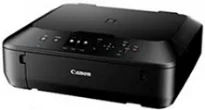
The maximum print resolution of the machine is up to 4800×1200 dots per inch (dpi) at the best print performance. Its print technology has five individual ink tanks comprising pigment black, black, cyan, yellow, and magenta colors. Also, there is an inkjet FINE print head with a minimum ink droplet size of 2 picolitres (pl). Whereas, the compatible ink type is the ChromaLife100+ inks, which is the best ink type to produce top quality photos.
Canon PIXMA MG5640 Drivers for Windows
b8f5d4017ff49db6caec851a822b75a551466955f216eb059031c6d6d7741693eadeed45326b832e07f9d47c0aea37fbbf84a5fe1fde652941bdd3e6c6095aae2c53d0cbbcfe5ca0a01239d89c9d1f09225549bf012a95ffc8580f8f7962d44d8dd427942e8e31c574841b714286f9171dafe7b49dd781ec9b62ff0cc61cf1a415e26104a051d3f79061242bb8114e3d81f35bbe709d14bb07a6284eb01471d0Canon PIXMA MG5640 Drivers for macOS
5cd3c3e76cb0d5a3fe07d62b1a346151e331d0f53fd07ff2299ed84eda48ec08f4bc1919113db1e4e1cf7afcf9387abe3e68379f9b6a296dcb69e1a70119484c32a69059d3d8ce0a4dc45b2a7b288503803601bc9b38aea37c4c4fd3f76c87b71afeb535ed397255d08a42020061171252a1a3849ea8a8a96d7cfaa19ec0d7acc7f59628133eaf16ebbebdede3e5df9a69d1e9b12cd7b61c9f4fbb780e4efb5a8946a6442a6cae0e5642f76103e12a7bbc9855fe176f36a73fd5777f10b8e9a9Canon PIXMA MG5640 Drivers for Linux
07a441231fa9e7cc7c32e1ef126916ab54945382facf01e68a00785beacebf92e5bbd191ec8b36a204cc2c8c2468d1ee1050ea53b68b304c5c268eda8537f51c42a5c9e956c701f88537471eb1054f38a293e3df4396cdb337c0c3ecdcaa5ae4015e689b9106804871be22771742a2c5046ee40f89bf856058036c909055bdf15482b5bac88cc7a857a527573de16a95c7bfae5d3fac9efd7c5dbd957cc59c8c468103a27a4bfeb20f9233c45f97afa807091ca97255b94b129402a00a56cb20PIXMA MG5640 driver Downloads for Microsoft Windows 32-bit – 64-bit and Macintosh Operating System.
Supported Ink Cartridges
Pigment Black PGI-550 Ink Cartridge – Upto 300 pages
Ink Cartridge CLI-551 Black – Yields approx 350 pages
CLI-551 Cyan Ink Cartridge – Page Yield upto 332 pages
Yellow CLI-551 Ink Cartridge – Upto 344 pages
Ink Cartridge CLI-551 Magenta – Approx 319 pages
Monochrome or black and white printing is at the rate of 12.2 images per minute (ipm). But color printing runs at the speed of 8.7 ipm to retain the best print quality. When carrying out the borderless print on a 10 x 15 cm photo paper, the work rate is approximately 44 seconds. At the same time, borderless printing works for A4 letter and various photo paper sizes. The machine is also capable of running an auto-duplex page for A4 and letter sizes of plain paper.
The compatible standard ink cartridges include PGI-450PGBK (pigment black), CLI-451BK (black), CLI-451C (cyan), CLI-451M (magenta), and CLI-451Y (yellow). On the other hand, the XL variants of the cartridges produce much more yield than standard types. The standard paper types include plain paper, envelopes, Canon Pro platinum, Canon pro luster, Canon plus glossy II.
Other paper types include Canon Matte, Canon photo stickers, Canon t-shirt transfer, Canon high-resolution paper, and Canon “Everyday Use.” The machine also has a front tray that can accommodate up to 100 sheets of plain paper. Whereas, the compatible paper sizes include A4, A5, B5, photo sizes, letter, and legal sizes. But the supported paperweight is between 64 and 105 gsm, and Canon photo paper supports 300 gsm. As a multifunction device, this machine can produce the best print quality at high speed.
Technical Details
| Title | Canon PIXMA MG5640 Drivers |
|---|---|
| Device Type | All-in-one printer |
| Driver Version | Varies by driver and operating system |
| Available Downloads | Drivers |
| License | Free |
| Manufacturer | Canon Inc. |