
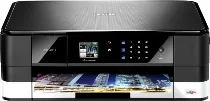
Brother MFC-J2310 Driver connects the computer with this multifunction inkjet printer for printing, scanning, copying, and faxing. After installation, the system can identify the machine and pass print or scan tasks through the selected connection. Copy settings and fax jobs can also be sent from the computer when the software package is installed correctly. This helps the main functions respond with cleaner command handling and fewer device-recognition problems.
Brother MFC-J2310 Drivers for Windows
7fff38b01d06e1fd068ae8afeb4b5bef20ba2c046cf97a76181aa4532e831ec5981f03b7772218f94dcc84d399d0c1c7713a78649ee559d869d4220989b8ede8981f03b7772218f94dcc84d399d0c1c7713a78649ee559d869d4220989b8ede80edce9170c3f46f065e52aa6335c093befa453212698a94c7d59fcfc5197fa7ebfbef9ea1bd841a7ac5a6459c475c626ae8b612de9c066946cb9a7d118308f1dBrother MFC-J2310 Drivers for Linux
9a5f303de8febb39a800faaafd8b34332ef6717f7e6971e7dc4f7c13ea370139f2da5c34f7b88aa2b0f52fec6fdb8189f492c3b977b2fb2875f35111f7d0d94ac58e0d25d3ba730a11b7be0006a077736dd39262e2a838af17db855f96c0ba2246d0272354a85fd0068a89860239883e1ad21ea7a26ec67621014fee61642eb5027b73648722ac8c8eb1a9c419d284a6562cc763feac9740a2b75a683b09297289d82315fd9d629f8af7b5bc489f392da218acfe2436e42eec147246101636d5cda25534ea8e3018e7d46b970cb08b36084355adedc933aba0c8c7d03e903db901dc859f1978e645147ced5ec4b5448cc3e26b1c6d2f1104834f5891c0e174694225e91dd7f7d0ba2a202f616b15b669be7800c271a7d25efed94191f71fc4500fec3bcffeb597b2d23ef7ff31f34dc7bd8d4736a35c2d1ff5e56784d709ce532ba3bffcf199fee6387cb79d6923214648db0f2df1c5a13f8f8f0a6fe0995c401404f2622e60470b4de25d0cdb4adc0f130ace6b380cc0d4b3d7714ad761c1aee28a8765f6637456d81ad1a56226e6857be2f1581fdcd9e4a5a4fbc4c42dd3450a4412b306b9ce2eb7e3ef4734a7b648f9561f525922b02541e98b545929dc2b82aa17ba2e331de1fcb34f0a839d27b9b193ac680d9742250a89e588a6bd56206c4e17c6dbcf263d9d08fb460ccd5b9f1a23fce79b30d0a41d96a224839322b2Brother MFC-J2310 Specifications
The Brother MFC-J2310 is an inkjet multifunction printer with print, scan, copy, and fax hardware in one unit. Printing comes from a piezo printhead with 420 nozzles for black and 420 nozzles for each colour channel. The ink set uses black, cyan, magenta, and yellow cartridges. On the control panel, a 1.8-inch TFT colour touchscreen works with a touch panel, and the machine uses 128 MB of memory for fax, copy, and network operation.
Print resolution reaches up to 1,200 x 6,000 dpi. Borderless printing works on A4, Letter, A3, Ledger, A6, 10 x 15 cm, and 13 x 18 cm media. Scanning relies on the flatbed glass, where optical resolution reaches 2,400 x 2,400 dpi. Interpolated scan resolution rises to 19,200 x 19,200 dpi. The copier handles colour or mono output, stacks or sorts up to 99 pages, and scales copies from 25% to 400%.
Paper feeds through Tray 1 for plain paper, coated inkjet paper, glossy paper, and transparencies. The tray also accepts envelopes, index cards, postcards, and photo media. Maximum print width is 291 mm, or 297 mm during borderless printing. Automatic two-sided printing works on plain paper in A4, Letter, A5, and Executive sizes. Since the machine has no automatic document feeder, each original goes on the scanner glass separately.
A nearby computer can connect through USB 2.0, while wired networking uses Ethernet. Wireless printing runs through wireless LAN or Wi-Fi Direct. Network setup can use AOSS or WPS, and wireless security supports WEP, WPA-PSK, and WPA2-PSK. The chassis measures 480 x 290 x 163 mm and weighs 8.0 kg. Power use reaches about 21 W while copying, about 6.0 W in ready mode, about 1.5 W in sleep mode, and about 0.04 W when switched off.
Technical Details
| Title | Brother MFC-J2310 Drivers |
|---|---|
| Device Type | All-in-one printer |
| Driver Version | Varies by driver and operating system |
| Available Downloads | Drivers |
| License | Free |
| Manufacturer | Brother Industries, Ltd. |