
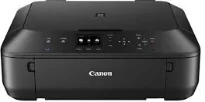
The Canon PIXMA MG5550 printer model is exceptional in its performance in both speed and quality. Some of the primary functions include wireless print, copy, scan, and cloud link features. It has a maximum print resolution of up to 4800 x 1200 dots per inch (dpi) at the best print quality. The print technology has five individual ink tanks, comprising pigment black, cyan, magenta, and yellow. Whereas, the inkjet FINE print head has a minimum ink droplet size of 2 picolitres (pl).
Canon PIXMA MG5550 Drivers for Windows
a15d825d31f63565bf38c78acac38353151b89508224234935026978f5c10bdd1ce6dfb150a6f849351e05fa99d6c8bc1537c11ad2c7b309b65794bc2119ca67c9cc4708a52a940bab3d6f9373707191bf9d43f4adfed6d688538faa5399dd418dd427942e8e31c574841b714286f9171dafe7b49dd781ec9b62ff0cc61cf1a415e26104a051d3f79061242bb8114e3d81f35bbe709d14bb07a6284eb01471d0Canon PIXMA MG5550 Drivers for macOS
2ea9302818c7f9c8e644c4723950b4f9c499dc0a92bd88bb1b44a2d30558c3a80f41b0ec3b0f57727a5d4363dad9aba20f2bc943fd1d137885fbfa2496d3c11e806327eca528d000b69de6f98a97e326e6d01e013ea0abe1a0d55d2d850b24146fbf705402b8dc05f6290e01a0111232420930176c85be458438914debb45b37a4cf827450cf8054b2ef3feffac6121a3511e3ad2ae6f2dbf298de0e9b600863Canon PIXMA MG5550 Drivers for Linux
36f52caf0e4e8f655bc34c3d39c916a6f54601954c8975e8f0a9877ebbdaa0669b06ca574a4ea86781b00d1612278af5ab9e0dea6a8aa4b38cf47d3b07426dbaf722567b3c24dd12a07ca00952a09859cff875585e794f15dc1814c45f5d02bc2e106d96fb60d6c245b5f811539c919c299b420c1960553f9ccc2bf27320b883bc1066f4e737c9287d6e44b8bbd7cae1a13303e30194cb1f5abefc723e12d52da5741c9f7219f02b68b53cd295d695a7782e070f7e681634f06cd15eefae2a6cPIXMA MG5550 driver Downloads for Microsoft Windows 32-bit – 64-bit and Macintosh Operating System.
Supported Ink Cartridges
PGI-550 Pigment Black Ink Cartridge – Upto 500 pages
Ink Cartridge CLI-551 Black – Yields approx 1795 pages
CLI-551 Cyan Ink Cartridge – Page Yield upto 345 pages
Ink Cartridge CLI-551 Magenta – Approx 306 pages
Yellow CLI-551 Ink Cartridge – Upto 347 pages
Monochrome printing with this device has a rate of 12.2 images per minute (ipm) at best print quality. However, the color printing is at a speed of 8.7 ipm, while borderless printing is at 44 seconds on average. This borderless printing works for A4, letter, and photo sizes, as well as other custom sizes. Canon PIXMA MG5550 model also has two-sided or duplex printing for both sides of the printer page.
At the same time, when this Canon PIXMA MG5550 machine is scanning, it uses a contact image sensor (CIS) scanning element. Users can also obtain an optical scanning resolution of 1200 x 2400 dpi with an average speed of 14 seconds. The scanning depth for input/output remains 48bit/24bit for color and 16bit/8bit for greyscale, respectively. It also has a maximum document size of 216 x 297 mm, which is ideal for the print function.
The Canon PIXMA MG5550 printer model can produce the first copy out page in just 20 seconds. But the subsequent pages for copying run at about 7.2 ipm with multiple copies of up to 99 from one original document. This machine has a liquid crystal display (LCD) screen of about 6.2 cm in size. Similarly, it supports several languages, including English, Italian, Portuguese, Spanish, French, Finnish, Russian, Czech, German, and Korean.
Technical Details
| Title | Canon PIXMA MG5550 Drivers |
|---|---|
| Device Type | All-in-one printer |
| Driver Version | Varies by driver and operating system |
| Available Downloads | Drivers |
| License | Free |
| Manufacturer | Canon Inc. |