
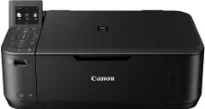
The Canon PIXMA MG4250 printer model is a multifunction device that can optimally print, copy, and scan the best quality output. Some of the other features include quality photos, double-sided documents, smartphone and tablet printing, AirPrint support, and distribution via the internet. The printer box consists of an all-in-one printer, 2 FINE cartridges, a power cord, software, and user’s manual CD. It can produce a maximum print resolution of up to 4800 x 1200 dots per inch (dpi).
Canon MG4250 PIXMA driver Downloads for Microsoft Windows 32-bit – 64-bit and Macintosh Operating System.
Canon PIXMA MG4250 Drivers for Windows
f2ef5ef02abcac44aae3e204edb87811a6941b8d243a15fe3eec7dd81f4b647758b411cb4d6267d005954cba9e087c5c85671c137ff5b674d27042f1b7bedcf38dd427942e8e31c574841b714286f9171dafe7b49dd781ec9b62ff0cc61cf1a415e26104a051d3f79061242bb8114e3d81f35bbe709d14bb07a6284eb01471d047d379346740c14c0a9195228c26f518b6fded9e1118d8a787234d6fdabd1d8cCanon PIXMA MG4250 Drivers for macOS
64ec5a2f88bec920a78fdbbda1270923a54c20e5477c85a7024398de7afbf694ac1f0705aac76c0f884056acda58179a0c6908c387ed1f8f0093aa2230fa0c51206173e65e4ba741a315b761410f4d78006ab797469aacc24b88428d863b811010594ecf00f43de0c24999847a343e255256993b133cdd4306ee5e929f2698fea3cba2d06d3654ae531f34b9440366e4763f032ed0295efd8393167fd74ccc5385bbb86edbab1c23f80e43bff041dc34c6eab79a70b7266fa6466271b69880b2689c7916984161f708cc5d26cc4c8757418f30f9c6569881660df445718fcaf985bbb86edbab1c23f80e43bff041dc34c6eab79a70b7266fa6466271b69880b2598b52223c48528248077eebfd3c691465e0efbae2adc02ad1af101544533ce1a31025de43395706dd80c875af2e07fa0c5cdeebcf5621ea830361b22c138246d9ebdfc4f21f0c33aae1fb31a65c858d73dff18ea6380d1261cd976640ed0c53925500bfea88020e6ada8b117d368d7095519798328a2470e563f31ec1830cc1Canon PIXMA MG4250 Drivers for Linux
230f1bf1004f2a3728616e1a9ae763af223b5cd2b687ece1b8ccc7c50b58c58a29a866cd7b1117eeaf1bbbf6f0c666e8c8b1edb9f2fd40957f88c9c49795bdd08b6d408f18191f19465ee8fc31aa08455e8bec186fdd3f02ee822f53a9b086a95af0722e9f8b217dcf98895fef93b4d7a6052033ad48784a443b604060694ad2ef95d8e565bf91c181900279f235e953b9d17c55379f6eeb8eb15ae3140be48b8ab1b3a357064715e97f58d95a10a350135272b1df37cf0428dc535eeb9779dcCanon PIXMA MG4250 Specifications
Supported Ink Cartridges
PG-540 Black Inkjet Cartridge – Yield Approx 180 pages
CL-541 Colour Inkjet Cartridge – Yields upto 180 pages
The internal print engine includes FINE print head technology with a 4-color print system. This Canon print system has a minimum ink droplet size of 2 picolitres (pl) and supports the ChromaLife100 ink type. Monochrome printing can run at a rate of 9.9 images per minute (ipm) in the standard printing mode. On the other hand, color printing runs at 5.7 ipm in the same print mode. When working in borderless print mode, the print speed is about 44 seconds on average.
However, this borderless print mode supports the use of A4, letter, and photo sizes simultaneously. It supports auto duplex print for A4 and letter-sized paper. Some related features to the printing ability are fit-to-page print, scaled print, multiple-page-per-sheet print, booklet print, poster print, and collate. The compatible ink cartridge models are the PG-540 or PG-540 XL for black and CL-541 or CL-541 XL for color. However, the Xl variants of the cartridge models can print much more than the conventional cartridge types.
It uses the flatbed contact image sensor (CIS) component for color scanning as a multifunction printer. Besides, this Canon PIXMA MG4250 device produces an optical resolution of up to 1200 x 2400 dpi at an average speed of 14 seconds. The color scanning depth through the flatbed scan depends on color or greyscale. For instance, input/output color depth is about 48bit/24bit while that of greyscale is about 16bit/8bit.
Technical Details
| Title | Canon PIXMA MG4250 Drivers |
|---|---|
| Device Type | All-in-one printer |
| Driver Version | Varies by driver and operating system |
| Available Downloads | Drivers |
| License | Free |
| Manufacturer | Canon Inc. |