
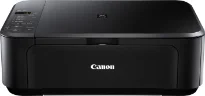
Canon PIXMA MG3240 is an exceptional device with many fascinating features that give good value for money. The machine package contains, apart from the device itself, 2 FINE cartridges, a USB cable, power cord, and setup guide. But the other items include the software and the user’s manual CD. Also, this machine can produce top quality photos, work with double-sided documents with mobile printing features. The mobile printing features include the Apple AirPrint support and Smartphone and tablet printing.
Canon PIXMA MG3240 Drivers for Windows
161c825e09b2432c8365d4faa27631cfc353314541e24eb34edfd05997fd2ae9f062e183f70e0b1196231dc0020aa27a54c997a51882fe09996d769f4003ede7e49e6fae8f36ad3486d55715cb3d3172f18f9fac1900bf5bc38392c7d9908fb9Canon PIXMA MG3240 Drivers for macOS
9e197a4829ecf263bf51cb90501305fa3367085f075c0ac3fde706abd680632089b74ea988753ca410abf2d675da493773142c9a94fcdb84b583ffc5d8107eec85bbb86edbab1c23f80e43bff041dc34c6eab79a70b7266fa6466271b69880b2527fb1ba92288554cbc7726f0f9a836a734891df1e3962ddeb6d2d43b730276085bbb86edbab1c23f80e43bff041dc34c6eab79a70b7266fa6466271b69880b2525fc5b8f6bb9910d378d0ba7ab91f4d663547d825d98b793e9f23ad0463e43659c8c325b7d8045de6005d0a1541c0dc9a253e2fc9c5098fd43a5a86d645378e0756c617cc8cdee557b0d0c08a1b41c4b68df5671500ffd3df558d33cc793308925500bfea88020e6ada8b117d368d7095519798328a2470e563f31ec1830cc1Canon PIXMA MG3240 Drivers for Linux
531b2b3f0be1a38ae2c3e5ca92e0f340a7b1f2378d556ed78760db10dac38dbed7b0f5e9d11c92b9598691235e144264e6cf5197bdeda36652afc64c699ec78a8b6d408f18191f19465ee8fc31aa08455e8bec186fdd3f02ee822f53a9b086a9ae091c2857009a4e6fc3f69d075ef912191f49308ad7cb821a7457de8cfb63b316fedc5cede0b85bca06c57877549c764d7540cf945b073cfb7792d540d271508ab1b3a357064715e97f58d95a10a350135272b1df37cf0428dc535eeb9779dcPIXMA MG3240 driver Downloads for Microsoft Windows 32-bit – 64-bit and Macintosh Operating System.
Supported Ink Cartridges
PG-440 Black Ink Cartridge – Approx 180 pages
Colour CL-441 Ink Cartridge – Yields upto 180 pages
Printing with this Canon PIXMA MG3240 device ensures a maximum resolution of up to 4800 x 1200 dots per inch (dpi). This level is possible through its 4-color printing system with a minimum ink droplet size of 2 picoliters (pl). Similarly, it has 2 FINE cartridges that are compatible with the ChromaLife100 ink type for optimum productivity and quality—printing black and white documents runs at 9.2 images per minute (ipm). Color printing, on the other hand, runs at 5.0 ipm.
Borderless printing on this same device is at an approximate speed of 44 seconds per page. It also works for A4, letter, and photo sizes of 20×25 cm, 13×18 cm, and 10×15 cm dimensions. There is also the auto duplex printing for A4 and letter-sized paper for the two sides of the print paper. Some of the other notable printer features include booklet print, poster print, multiple pages per sheet print, and the collate feature. Others are fit-to-page and scaled printing.
The interface feature of this Canon PIXMA MG3240 machine comprises a seven-segment Led display screen. The users can connect this machine through the hi-speed USB 2.0 port or Wi-Fi IEEE 802.11 b/g/n. Besides, there are the Wi-Fi security features such as WPA-PSK, WPA2-PSK, and WEP. Apart from the PC, this machine can also connect with Apple AirPrint, Android devices, iPhones, iPad touch, and iPad.
Technical Details
| Title | Canon PIXMA MG3240 Drivers |
|---|---|
| Device Type | All-in-one printer |
| Driver Version | Varies by driver and operating system |
| Available Downloads | Drivers |
| License | Free |
| Manufacturer | Canon Inc. |