
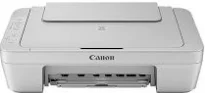
The Canon PIXMA MG3020 model is a multifunction device with several intriguing features that give a good investment value. Some of the outstanding features include PIXMA cloud link, Canon print app, Auto power-on and off, and Creative park premium. Amazingly, the machine has a hybrid ink system comprising a 4-color cartridge system for top quality print output. It is also compatible with Windows 10, 8, 8.1, 7, 7 SP1, Vista SP1, and Vista SP2.
Canon PIXMA MG3020 driver Downloads for Microsoft Windows 32-bit – 64-bit and Macintosh Operating System.
Canon PIXMA MG3020 Drivers for Windows
99879cf5e436d5a1366a4b0e80e4ba1be70c5a9aa42a97a66515f49bda321d0463323fa22a51bf7d1d0f8be9ccfca7674fa0f4f7415559476fb095f0dd75d07b1365ecdb983425c0c635f5b7b8f840661e9e147ae7fbba9fc86a2cde34bdccbe8dd427942e8e31c574841b714286f9171dafe7b49dd781ec9b62ff0cc61cf1a415e26104a051d3f79061242bb8114e3d81f35bbe709d14bb07a6284eb01471d0Canon PIXMA MG3020 Drivers for macOS
560c8e2655bce2a21abf01b29852d759bde8802033186ed3ae21cb5566c61a1b07974354f4e3ec70bb3ea9e2bc3dd229389fd5f1fcd418d72f73574377f0493a60886487fe90ebf22880961aac01fece99772beb9c47e5df106f03762cb154035f364309390bda740c4b7be8a1a87f77a8a1041593e3f9eff3660824ae48c24218a128f34728f707a5dfd8e2d370c338880cd924f858734f79d68b8a51b522d505fd9c59ffd568e0c41d201e512443bdc7912d4404afb84f877bd377e5fa8c61Canon PIXMA MG3020 Drivers for Linux
3b298716ad8b806fad72ed52714838921dea6f84253446a02d0e669afbc13804559acc98851ecf86000724ee268b473818b395c6b87524dc0d82ead6263a6ab598ba823924fb7835d6f2697a2561e0e92c44b64fc10b6f8086a7bbbe5ee998eabb8d108b2c3557f3dc258d47b560ce96608a006ec7b052a630e0a5f911da2413da7fddf03d95b487b55795812c9a27a00aa027a8f3bbcc76ead54ce07108976bcfb2af683f1d1ed0431948967bae872798d8b75da9eac1bfbf30aa8394220ab0Canon PIXMA MG3020 Supported Ink Catridges
Black Ink Cartridge CL-246, Cyan Yellow Magenta Ink Cartridges CL-246, Pigment Black Ink Cartridge PG-245
Apart from the Microsoft Windows OS versions, the machine Canon PIXMA MG3020 also supports Mac OS X versions 10.8.5 to 10.12. In terms of the mobile OS, this device can work with iOS, Windows 10 mobile, RT, and Amazon Fire devices. Besides, the standard interface protocols include the hi-speed USB 2.0 port and the PictBridge port for connecting digital cameras. This machine also has both wireless (IEEE 802.11b/g/n) and wired LAN connection systems as alternative forms of connecting with systems.
Some of the included software with this Canon PIXMA MG3020 device includes the printer driver and setup software with scan utility software. It also comes with a full-year limited warranty with an InstantExchange Program and one-year toll-free technical phone support. As a multifunction printer, scanning is through the flatbed component and a Contact Image Sensor (CIS) element. Similarly, the maximum optical resolution of the device is up to 600 x 1200 dots per inch (dpi).
On the other hand, the interpolated resolution at the maximum level is up to 19200 x 19200 dpi. Another scanning feature that is interesting to the user is the auto scan mode, which adds to the device’s specialty. It produces a color depth of 48-bit for the input and 24-bit for the external extent. The maximum document size that the user can use is about 8.5 x 11.7 inches.
Technical Details
| Title | Canon PIXMA MG3020 Drivers |
|---|---|
| Device Type | All-in-one printer |
| Driver Version | Varies by driver and operating system |
| Available Downloads | Drivers |
| License | Free |
| Manufacturer | Canon Inc. |