
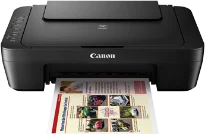
Using the Canon PIXMA MG3070S printer is an indication that the user has an exquisite taste for quality output. As a multifunction machine, it can print, copy, and scan documents with finesse while maintaining quality. It supports some mobile printing options such as Google Cloud Print and Canon Print Service Plugin for Android OS. This machine can also work with the PIXMA Cloud link for connecting the smartphone or tablet with it. Canon PIXMA MG3070S driver Downloads for Microsoft Windows 32-bit – 64-bit and Macintosh Operating System.
Canon PIXMA MG3070S Drivers for Windows
59615c03070c3050dc8d55a84734b0633254f94060cef68a78ebc4d1f30bc0fd63323fa22a51bf7d1d0f8be9ccfca7674fa0f4f7415559476fb095f0dd75d07b1365ecdb983425c0c635f5b7b8f840661e9e147ae7fbba9fc86a2cde34bdccbe8dd427942e8e31c574841b714286f9171dafe7b49dd781ec9b62ff0cc61cf1a415e26104a051d3f79061242bb8114e3d81f35bbe709d14bb07a6284eb01471d0Canon PIXMA MG3070S Drivers for macOS
560c8e2655bce2a21abf01b29852d759bde8802033186ed3ae21cb5566c61a1b07974354f4e3ec70bb3ea9e2bc3dd229389fd5f1fcd418d72f73574377f0493a60886487fe90ebf22880961aac01fece99772beb9c47e5df106f03762cb154035f364309390bda740c4b7be8a1a87f77a8a1041593e3f9eff3660824ae48c24218a128f34728f707a5dfd8e2d370c338880cd924f858734f79d68b8a51b522d505fd9c59ffd568e0c41d201e512443bdc7912d4404afb84f877bd377e5fa8c61Canon PIXMA MG3070S Drivers for Linux
3b298716ad8b806fad72ed52714838921dea6f84253446a02d0e669afbc13804559acc98851ecf86000724ee268b473818b395c6b87524dc0d82ead6263a6ab598ba823924fb7835d6f2697a2561e0e92c44b64fc10b6f8086a7bbbe5ee998eabb8d108b2c3557f3dc258d47b560ce96608a006ec7b052a630e0a5f911da2413da7fddf03d95b487b55795812c9a27a00aa027a8f3bbcc76ead54ce07108976bcfb2af683f1d1ed0431948967bae872798d8b75da9eac1bfbf30aa8394220ab0Canon PIXMA MG3070S Supported Ink Catridges
Ink Cartridge PG-745 Pigment Black, Cyan Yellow Magenta Colors Ink Cartridges CL-746
Other essential modern features of the machine include Canon PRINT inkjet/SELPHY for the iOS and the Android. There is also the Canon Easy-PhotoPrint for Windows RT versions for fixed print quality. Canon PIXMA MG3070S is compatible with a digital camera through its PictBridge port for digital cameras, camcorders, and camera phones. Besides, it uses a wireless LAN that can work on JPEG and PNG formats together with layout properties.
The printer power requirements include an internal voltage between 100 and 240 volts for 50/60 Hz frequency. On the other hand, power consumption is a factor of the ongoing process of the machine. For instance, the standby mode uses 1.6 watts, and the ‘off’ mode uses about 0.2 watts. In the process of copying or printing, the approximate power usage is about 10 watts.
According to the RoHS and WEEE protocols, the machine is also compatible with use in China and the EU. Physically, the Canon PIXMA MG3070S model has a width of 426 mm and a depth of about 306 mm. Its height is up to 145 mm while the weight reaches 3.5 kg approximately. According to the system requirements, the machine can work with Windows 10, 8, 8.1, 7 SP1, and Vista SP2 versions. On the other hand, it is compatible with Macintosh OS versions, including OS X 10.8.5 and the later versions.
Technical Details
| Title | Canon PIXMA MG3070S Drivers |
|---|---|
| Device Type | All-in-one printer |
| Driver Version | Varies by driver and operating system |
| Available Downloads | Drivers |
| License | Free |
| Manufacturer | Canon Inc. |