
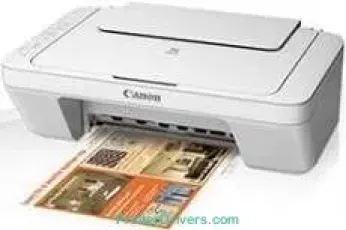
Printing with this Canon PIXMA MG2970 printer model comes with exceptional qualities such as high print quality and excellent speed. The smallest ink droplet size of the ink cartridge is about two picoliters while it supports compatible ink tank models. Some of the compatible ink tank models include PG-745 and CL-746, while the optional types include PG-745XL and CL-746XL models. Each of these models of ink tanks has varying print capacities. For instance, the first two models can print up to 180 sheets, while the last two can print 300 sheets.
Canon PIXMA MG2970 driver Downloads for Microsoft Windows 32-bit – 64-bit and Macintosh Operating System.
Canon PIXMA MG2970 Drivers for Windows
94ccafea61ef8ce2c6038a0f8001971e1e00075630b7c06a93dd23ebba7f130545e7547802c419056493d11c607a377aa66870cb1704e7f1738190035a13873c3c66677dc1085932f685638ce3cbcc15d53370067a89dd9090d28a011f3271ff89e88bf1c8e0963d5c07bd98001c6022fefe5b98cba487b49d5ab7e3767d660040d1e263018308b04a02b63f8862e32e096c3ac0f66ae674fea59dcde7953950eefde66eab0e234f86fd23677b9fc69bf4972b70d8226d30d1d92c43c280215b8dd427942e8e31c574841b714286f9171dafe7b49dd781ec9b62ff0cc61cf1a415e26104a051d3f79061242bb8114e3d81f35bbe709d14bb07a6284eb01471d0Canon PIXMA MG2970 Drivers for macOS
b0d12519e79bb60c4cc8d37171bec8178158d0f2c81aa152f9e5aa3766eb84eab219dcba0f4008395e336399e5e441469c3ef651496500802afc00a16408ce2c05051b78f85d213c11c87ddc8aed2e84b7e17b06742c9487a790917f3cc89b3f1afeb535ed397255d08a42020061171252a1a3849ea8a8a96d7cfaa19ec0d7ac8946a6442a6cae0e5642f76103e12a7bbc9855fe176f36a73fd5777f10b8e9a9afce90154687048e62be46738988a2151bddaf932552ab95bd166aafb0bd5b86Canon PIXMA MG2970 Drivers for Linux
07a441231fa9e7cc7c32e1ef126916ab54945382facf01e68a00785beacebf92e5bbd191ec8b36a204cc2c8c2468d1ee1050ea53b68b304c5c268eda8537f51c42a5c9e956c701f88537471eb1054f38a293e3df4396cdb337c0c3ecdcaa5ae4015e689b9106804871be22771742a2c5046ee40f89bf856058036c909055bdf15482b5bac88cc7a857a527573de16a95c7bfae5d3fac9efd7c5dbd957cc59c8c468103a27a4bfeb20f9233c45f97afa807091ca97255b94b129402a00a56cb20Canon PIXMA MG2970 Supported Ink Catridges
Colors Cyan, Yellow, Magenta Ink Cartridges CL-746, Ink Cartridge PG-745 Pigment Black
Specifications
Under ideal circumstances, the print rate for black and white printing is about eight pages per minute (ppm). Color documents can print at the speed of 4 ppm, all things being equal. Some of the compatible standard paper sizes include A4, letter, legal, A5, B5, envelopes, and photo sizes. Then, it has an auto sheet feeder through the rear tray that can hold up to 60 sheets of plain paper. Furthermore, the machine can work with mobile printing features such as the Google Cloud Print and Canon Print Inkjet/SELPHY.
At the same time, when scanning documents, the maximum resolution is up to 600 x 1200 dots per inch (dpi). It also uses the CIS scanning element, which comes with a color scanning speed of 14 seconds per page. Besides, when using an A4 sheet, the scanning resolution reaches a level of 300 dots per inch (dpi).
Related Printer :Canon PIXMA MG6850 Driver
When copying, the first copy out time is up to 31 seconds per page for color copying. But during continuous reproduction, the rate is about 1.6 copies per minute (CPM). The 4-ink color system of this machine has a dedicated black ink tank for black and white printing. Also, its minimum ink droplet volume is about two picoliters for a resolution of 4800 dpi.
Technical Details
| Title | Canon PIXMA MG2970 Drivers |
|---|---|
| Device Type | All-in-one printer |
| Driver Version | Varies by driver and operating system |
| Available Downloads | Drivers |
| License | Free |
| Manufacturer | Canon Inc. |