
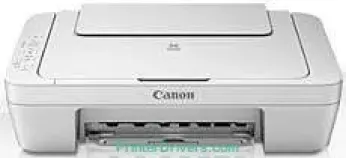
Canon PIXMA MG2540 model can print, copy, and scan documents at high speed to produce excellent quality. It has the highest print resolution of up to 4800 x 600 dots per inch (dpi) with an inkjet print technology. This print technology consists of 2 FINE cartridges, one for black and the other for color printing. Also, these cartridges have a minimum ink droplet size of about two picoliters. At the same time, the print speed depends on the printing mode.
PIXMA MG2540 driver Downloads for Microsoft Windows 32-bit – 64-bit and Macintosh Operating System.
Supported Ink Cartridges
PG-445 Black Ink Cartridge: Yields upto 180 pages
Colour CL-446 Ink Cartridge: Approx 180 pages
Canon PIXMA MG2540 Drivers for Windows
b1af9c7ab98ad05424e7c6117e5c82a524b0ccb55e2a0956a137a6eec291659f901b4e36e07a58ee4c61e2e36c308ff3a058817038a5a59dd667921ac21eaf790b8d85b5ae6e912dc9a77d90e7794faab662626d0044edcd9db39b5d5a0cf1878dd427942e8e31c574841b714286f9171dafe7b49dd781ec9b62ff0cc61cf1a415e26104a051d3f79061242bb8114e3d81f35bbe709d14bb07a6284eb01471d0Canon PIXMA MG2540 Drivers for macOS
d91cf94015a8df158d1689bda0deb38103381abafeb7b09ccd4e0e9b9f4c9d53fcaa71492dc0e6f81ffd11c9b61bc1c8ceca490369f5cb38c71823179b8c401f1e8ac6b36e6463bc97681c359bf68bc4572982f7cfd716a34c93af1e9c28711984bd69329d3584c63454549048dcfa7e80ab7093076f4b018401f817b9c31c98806327eca528d000b69de6f98a97e326e6d01e013ea0abe1a0d55d2d850b2414a4cf827450cf8054b2ef3feffac6121a3511e3ad2ae6f2dbf298de0e9b600863Canon PIXMA MG2540 Drivers for Linux
5e39576edadd2aebf4522f5fd7c647159c95a1a725df6c6c91481432805d0e74388710d24632d791a80b626166f40c1e56261b5aa4d5432e7c057a54d7601141f722567b3c24dd12a07ca00952a09859cff875585e794f15dc1814c45f5d02bc35b56a27bde8eade5eba24fa44cc2d203acd17ce947900b7f6759af81ba7499802cf66aaa3f1f8b50e2c105720f710b97d4539706918bcb4f5a9667b546b0774a5741c9f7219f02b68b53cd295d695a7782e070f7e681634f06cd15eefae2a6cCanon PIXMA MG2540 Specifications
Another factor that determines the print speed is the complexity of the document in print. For instance, the color printing mode has a rate of 4.0 images per minute (ipm). On the other hand, monochrome printing has a speed of 8.0 ipm. This printer model Canon PIXMA MG2540 does not support borderless printing but has two-sided printing by manual operation. The machine supports Windows 10, 8, 7, Vista, and XP SP2 for 32-bit systems only.
On the flip side, the device can also work with Apple systems working with Mac OS X 10.6.8 or later versions. Similarly, users with mobile devices such as phones and tablets with Windows RT can print from this printer. However, this version of Windows OS is the only mobile operating system that the printer supports. Other related factors determine the efficiency of this machine, such as minimum disk space and internet connectivity interface.
This machine has several physical measurements that make it suitable for use in the environment. For instance, the width is about 426 mm, the depth is 306 mm, while the height is about 145 mm. The power source of the machine is between 100 and 240 volts with a frequency of 50/60 Hz. Simultaneously, the temperature range is between 5 and 35°C, while humidity is between 10 and 90%.
Technical Details
| Title | Canon PIXMA MG2540 Drivers |
|---|---|
| Device Type | All-in-one printer |
| Driver Version | Varies by driver and operating system |
| Available Downloads | Drivers |
| License | Free |
| Manufacturer | Canon Inc. |