
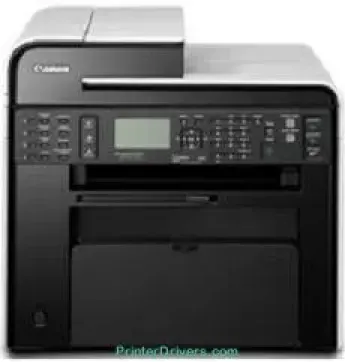
The printer specifications of the Canon imageCLASS MF4870dn model assure the user that it is a worthy machine. The function works with the monochrome print technology using the laser print method to manage print resources. The print rate depends on the print mode, such as simplex or duplex. For instance, the duplex print mode, which is the 2-sided printing, works at the rate of 16 pages per minute (ppm). On the other hand, the simplex mode runs at a rate of 26 ppm.
Canon imageCLASS MF4870dn Drivers for Windows
fb4892cef370fbd7b6ca28dc0932a61c873ba4a708fe513902132cb11dd58c08fb4892cef370fbd7b6ca28dc0932a61c873ba4a708fe513902132cb11dd58c084d55a4a3e3f5a130bc7a9ccfc5f72f91edf71646e99efe25e959fc74157e973fCanon imageCLASS MF4870dn Drivers for macOS
d5f10278e0dd91a898757299adb4a566e5f14e6ad073c885da268768b7b8172eff5d80d992a0f8b003104ffdc1bdf36bfe8bce0aa49cce77b27cdc9a95a5776cacba8d1ff32f0bddfb05dd5f9adbd105580d1505801cc771b89f19bcbf5eac1e6708a180dad9484c82047dc4624ec4b3dd3438231e6ac5cbcdba793755e1ddb45efcaeccd8b1f1103d2bb966199a47fc50f0116996d987bd51178d61474c2151c98999b876d4bc8928e9adbfd33748039773dbb01850e711679363ae3e93785b8a9fe8a3ad9ee02fb65e10e05eda1e6d8e6ba268fa987a6e164d5ba661bb1240917e7c7089148ed46d637656f66159b2042287e9084b2b921ae5b5f5c0eb0e4837c7892368c2313a0619c97b4f71f32be34757bfcc84538a957d6f23e43e81f0da6c9cbd85a75754061053b0cd0086f0297ea2f9d52a2bb0056fff1438bcff1209431107d2b98a5c1a3d4ae6141590e902abf12a5f16be1d69712e8cfe9845590297641744ea447acd804af112d0693e6588ba52e03feaf0d3150446eb3e84f535dc19aa61aba625226444a79ce3488bb61f99b0c653d1abf054c9b471d5a1b3e65a67c44f07e8c6ecf20e167ae2d83d355023809358287d3a2badbce6507585319819327b889a34a931905184cbeb1e9c986e5d635fa77c88f5de1e424c30886321f7ffd7900bcf8e4b8ce99f0d3d7af91556b836e302306ae8a25a2e16df9de6a48ab862ab2fa01c7793bae9776d4de130b89fe50e189ff8c78d1e5fa6183d9dd3f1b1c7dc175ab7cd4bb929f902c55966150a6a0273dbb36ccad0f146006a360e961225a3a218f8f019abb06cafb6699a0ae2279c20467a32e972a2b98b6dce4e588538376ea06d8cebe6fcce2f0feef6a769b6be9f24e7f1db99f24bb06402735f008f6d8f5882c2824e3f2b83f7ccf7de77a1e3cca3f3007e0d40da0aefCanon imageCLASS MF4870dn Drivers for Linux
63d6d12d89e21430d0a906fcbedc849ca66c96352b13ebccdb8228a1d8810a3bCanon imageCLASS MF4870dn Specifications
The first printout time is 5.8 seconds or less while printing on letter-sized paper. It supports print languages, including UFR II, which is the host-based language, and other compatible variations. Also, the print resolution of the printer is up to 600 x 600 dots per inch (dpi). But the print quality can improve to 1200 x 600 dpi for the highest quality. The maximum print paper size for this machine is the proper standard size.
The Canon imageCLASS MF4870dn model can be in three possible print modes: watermark, toner saver, and the page composer. This printer also has an internal memory of 128 MB of RAM as shared memory for the proper enhancement of quality. Copy speed for monochrome printing is up to 26 CPM as well for the letter-sized paper. The original types it can accommodate include text, text/photo, text/photo+, or photo only. All these productions come at a halftone of 256 levels.
As a monochrome printer, it is not only capable of printing, but also scanning, copying, and faxing documents. In faxing, the modem speed is up to 33.6 kbps with the Super G3 fax component. Also, the transmission time is only about 3 seconds per page, and the fax resolution is 200 x 400 dpi. There are four one-touch speed dials and 100 coded dials for ease of use.
Technical Details
| Title | Canon imageCLASS MF4870dn Drivers |
|---|---|
| Device Type | All-in-one printer |
| Driver Version | Varies by driver and operating system |
| Available Downloads | Drivers |
| License | Free |
| Manufacturer | Canon Inc. |