
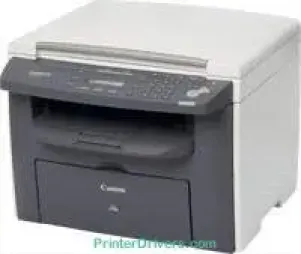
Canon i-SENSYS MF4120 model is a digital multifunction printer, which uses laser print technology for optimum performance. This machine’s standard internal memory is about 32 MB of RAM, together with the Green Tick compliant standards. It is also a certified device capable of working with Windows Vista and is compatible with the Canon FX-10 cartridge model. The device is capable of printing up to 2000 pages.
Canon i-SENSYS MF4120 driver Downloads for Microsoft Windows 32-bit – 64-bit and Macintosh Operating System.
Toner Cartridge Details: FX-10 Black Toner Cartridge : Yield approx 2000 Pages
Canon i-SENSYS MF4120 Drivers for Windows
31c1bd7a53e1521b31e2e395285090c6854e624c1c55480b5af27a042f8ff16ea5b54ddc1f33eb3d09d9750f44838b53e23eeab8936bd39700a2c59041e0813d4d55a4a3e3f5a130bc7a9ccfc5f72f91edf71646e99efe25e959fc74157e973f2a0359c5c0a5c6b5a93dfc61e36370ff55bed699e92dd69f5aa37d5a33b20f66Canon i-SENSYS MF4120 Drivers for macOS
0f53fae19e0d86f5dad9e95bef02c8f9406769c635e54ac210c6d8ab9f8e11d38c3891f63d4e6b9d23a613adb34a803bd4b45593d9fc0ca658465a0aba1a7ff33cac8d47a0bb1580e74b492bc876858781092e8fae8a009946dc72a2194c0ca93accb0f153300092a2ee312825c851035f1c66d65dafd67c77e2d4fbcd27c13aab8f0f303177d8c2129a2a2db2b478c6b63e40154d669f8d01041b4f7afcfbb101a221888cc3651a64f633e461870d1e2d0cce0ef54abb9c8317ca085ad2196422777e10690dcebdae80b6ec50e7bed2b28b71ca4cf9315646912ab2ad21c066400f046433591f4a0ff3c99e03208e8383398907c9703634230bd5670b241b66602bdd48468bf971d46227aeb5a5e80268b4d63683acc1033092bf82e239f0644c12283382997a0a253b5b7bedae90cf797892d245c51f896cbbc7eaf39f0d5b320c4de024ab67274bafc210f5d86d82238326f1e858f06eeb520309764f3d39Canon i-SENSYS MF4120 Drivers for Linux
b7031f9f0aa035cbc5175cb86e3bd83d06f90673a63ea40105ffb5cc6c60237fCanon i-SENSYS MF4120 Specifications
The copying rate for this device is up to 20 pages per minute (ppm). Besides, the resolution for copying is up to 600 x 600 dots per inch (dpi). Simultaneously, the first copy out time for black and white documents is about 9.6 seconds or less. In comparison, it can zoom in and out to the limits of 200% and 50% under ideal conditions. The full copies from an original document are up to 99 copies. It is also compatible with photo, text, and a combination of text and picture.
The Canon i-SENSYS MF4120 model has an internal memory size of up to 32 MB of RAM. The average printing resolution is about 600 x 600 dpi, while the maximum reach is up to 1200 x 600 dpi. It is compatible with the UFR II LT printer driver with enviable emulations. The connectivity interface options include a standard USB 2.0 hi-speed port.
Drivers are available for Windows XP to Windows 10, macOS 10.5 to 12 and Linux in the download section on this page. The main input paper tray can load up to 250 sheets of plain paper. In addition to that supply, there is a bypass tray that can accommodate one sheet of paper. In terms of the media paper type, the compatible ones include envelopes and plain paper.
Technical Details
| Title | Canon i-SENSYS MF4120 Drivers |
|---|---|
| Device Type | All-in-one printer |
| Driver Version | Varies by driver and operating system |
| Available Downloads | Drivers |
| License | Free |
| Manufacturer | Canon Inc. |