
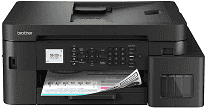
Brother MFC-T935DW Driver lets the computer communicate with the machine for printing, scanning, copying, and faxing. A nearby computer can connect by USB, while Ethernet links the printer to a wired network. Wireless jobs can travel through the home network without a cable. Once installed, the software converts document and fax settings into commands the printer can read.
Brother MFC-T935DW Drivers for Windows
ca6b48c954b3069ef2ea7683eed73d41b14546156ee84ef798ba7e6cfb6a6be00f3ca9cfa40ff9c3d0b2b6297d595dce4c9fb2d0df62cc54db44f72ebd7a35ab0f3ca9cfa40ff9c3d0b2b6297d595dce4c9fb2d0df62cc54db44f72ebd7a35ab0edce9170c3f46f065e52aa6335c093befa453212698a94c7d59fcfc5197fa7e71169ef33cab91b5dc1e848ff483c40ad2eec7be44e69fcb0c084a590a79b49eBrother MFC-T935DW Drivers for macOS
773ad2931a84cc8609e54be2536d12581ed89a4f42c030c78efa22cf0832e106Brother MFC-T935DW Drivers for Linux
fa937e2cad79998aca32f2deee5d0213f6387a6c6b35e2aacd054c9c029644a8ff1cd22c0b05962df7dc986ce795b32f8bca7d72edac1dbeb3448c746b2fab4c9c3a200db3dc7b2b3332dff8c5226b4f3ee560d20b2e1f4918b1faf7124517b2197f63a52e89b8744f5a3c2d843abb3b76d003d5d4830bdfe675c44841a6c72bcda25534ea8e3018e7d46b970cb08b36084355adedc933aba0c8c7d03e903db901dc859f1978e645147ced5ec4b5448cc3e26b1c6d2f1104834f5891c0e17469d724746540a51f8286f2a318b47657227f7131d384a1a4f0475dacb7e3580f3ee74ef3a5529ebf3b26d6139ce15d75374a4538ba2efd48c28b209b0d705e5ec72ba3bffcf199fee6387cb79d6923214648db0f2df1c5a13f8f8f0a6fe0995c401404f2622e60470b4de25d0cdb4adc0f130ace6b380cc0d4b3d7714ad761c1aee28a8765f6637456d81ad1a56226e6857be2f1581fdcd9e4a5a4fbc4c42dd3450a4412b306b9ce2eb7e3ef4734a7b648f9561f525922b02541e98b545929dc2b82aa17ba2e331de1fcb34f0a839d27b9b193ac680d9742250a89e588a6bd56206c4e17c6dbcf263d9d08fb460ccd5b9f1a23fce79b30d0a41d96a224839322b2Brother MFC-T935DW Specifications
The Brother MFC-T935DW combines colour printing with flatbed scanning, copying, and faxing. Four refillable tanks feed piezo printheads, with separate black, cyan, magenta, and yellow channels. A 1.8-inch colour LCD carries the local controls, and the machine has 128 MB of memory. Multi-page originals can pass through the 20-sheet automatic document feeder instead of being placed on the glass one at a time.
Print resolution reaches 1200 × 6000 dpi. Borderless output is available on Letter, A4, A6, index cards, and several photo sizes, but automatic duplexing is restricted to Letter, A4, Executive, and A5 plain or recycled sheets. The flatbed scans at an optical 1200 × 2400 dpi. Resolution from the document feeder is lower at 1200 × 600 dpi. Copy jobs can contain up to 99 pages, with resizing from 25% to 400%.
The main tray holds 150 sheets of 80 g/m² plain paper. An 80-sheet multi-purpose tray sits at the rear, although paper larger than Letter or A4 must enter one sheet at a time. Photo stock may be coated or glossy, and the feed path also accepts recycled paper and envelopes. Finished documents collect in a 50-sheet output tray, so large print runs may need occasional unloading. A front USB host reads flash drives for JPEG photo printing and scan-to-media use.
One nearby computer can connect through Hi-Speed USB 2.0. Ethernet provides a wired network connection, while dual-band Wi-Fi and Wi-Fi Direct carry wireless jobs. Wi-Fi Direct is useful when a device cannot join the main router. Network users can print, scan, send PC faxes, and open the secured web-management interface. The 14,400 bps fax modem stores 40 address-book entries and keeps about 170 transmitted or received pages in memory. With a weight of 9.7 kg, the machine draws about 16 W during copying.
Technical Details
| Title | Brother MFC-T935DW Drivers |
|---|---|
| Device Type | All-in-one printer |
| Driver Version | Varies by driver and operating system |
| Available Downloads | Drivers |
| License | Free |
| Manufacturer | Brother Industries, Ltd. |